AI Song Maker Apps – Turn Your Lyrics into a New Song
Have you ever written a few lines of poetry or song lyrics and wondered how they would sound with music? Creating a complete song traditionally requires singers, musicians, recording equipment, and music production skills. However, AI Song Maker Apps now allow users to transform written lyrics into musical compositions using artificial intelligence.
Modern AI music generators can create melodies, instrumental arrangements, and synthetic vocals from text instructions. Users can describe their preferred musical style, enter original lyrics, and experiment with different song variations. These tools make music creation accessible to beginners, content creators, and people interested in exploring songwriting.
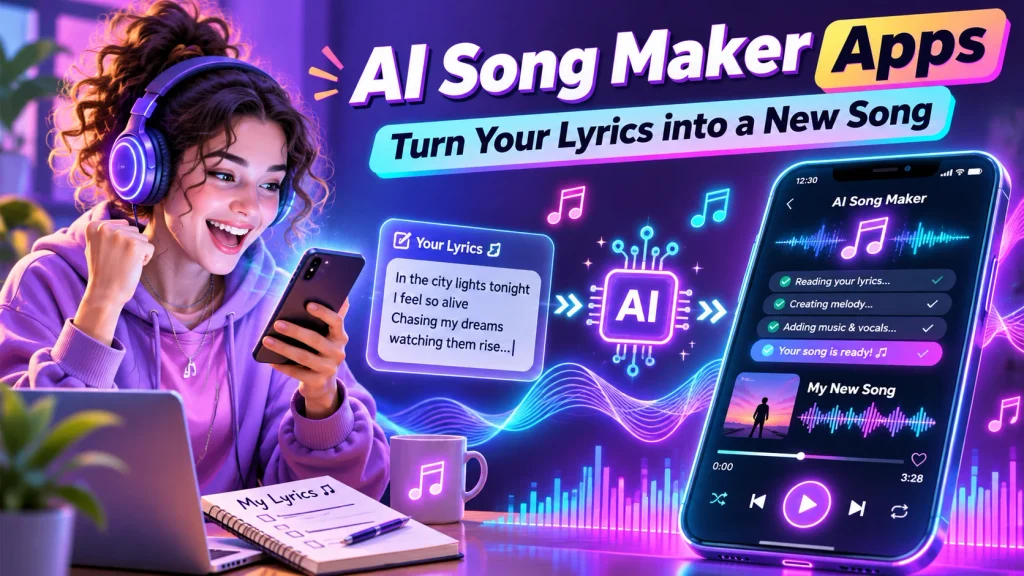
Whether you want to create a romantic song, birthday surprise, motivational track, or original Hindi melody, an AI Lyrics to Song Generator can provide creative possibilities. This guide explains popular tools, their features, benefits, and practical methods for creating songs using your own words.
What Is an AI Song Maker App?
An AI Song Maker App is a digital tool that uses artificial intelligence to generate music from written descriptions, lyrics, or other creative inputs.
Some applications create complete songs with vocals, while others specialize in instrumental compositions.
Common features include:
- Lyrics-to-song generation.
- AI-generated singing voices.
- Automatic melody creation.
- Instrumental music generation.
- Different musical genres.
- Custom mood and style selection.
- Song editing options.
- Audio downloads where supported.
Available features depend on the platform, subscription plan, and licensing conditions.
How Does an AI Lyrics to Song Generator Work?
AI music generators use machine-learning models trained to recognize musical patterns, structures, and relationships between text and sound.
Users provide lyrics or describe their desired composition.
The system then generates music based on those instructions.
For example, someone can enter an original romantic poem and request a soft acoustic arrangement with gentle vocals.
The AI may produce a complete musical interpretation containing melody, rhythm, instruments, and singing.
Users can compare different versions and refine their descriptions.
However, AI-generated results vary, and the technology may occasionally mispronounce words or produce unexpected musical arrangements.
Best AI Song Maker Apps and Tools
Several platforms provide AI-powered music creation.
1. Suno AI – Turn Your Lyrics into Music
Suno is an AI music generation platform that allows users to create songs from text prompts and original lyrics.
Its Custom mode supports user-written lyrics and musical style instructions.
Important Features:
- Original lyrics-to-song generation.
- AI-generated vocals.
- Different music genres.
- Custom musical descriptions.
- Instrumental compositions.
- Multiple song variations.
- Editing tools on eligible plans.
Suno is useful for beginners interested in generating complete songs without traditional recording equipment.
A free plan provides limited generation credits, while paid subscriptions offer additional production features and commercial-use permissions.
Commercial usage remains subject to the platform’s terms.
2. Udio – AI Music and Vocal Generation
Udio is an AI music creation platform supporting text-based music generation and custom lyrics.
Users can describe their preferred musical style and provide original words for a composition.
Important Features:
- Custom lyric entry.
- AI-generated singing.
- Genre and mood descriptions.
- Multiple musical variations.
- Song extension tools.
- Selected audio editing options.
Udio is useful for experimenting with melodies, vocals, and different musical arrangements.
Some advanced editing and audio-upload features require paid access.
Users should check current availability and usage permissions before starting a project.
3. SOUNDRAW – AI Instrumental Music Creator
SOUNDRAW is an AI music generation platform specializing in instrumental tracks.
Unlike dedicated lyrics-to-vocal-song generators, it does not directly generate complete vocal songs from written lyrics.
Important Features:
- AI-generated instrumental music.
- Different moods and genres.
- Customizable track arrangements.
- Background music creation.
- Music editing options.
SOUNDRAW can be useful for creating instrumental backing tracks.
Users can combine suitable instrumentals with their own recorded vocals using separate audio editing software, subject to licensing conditions.
AI Song Maker Apps Comparison Table
| AI Music Tool | Main Features | Best For |
|---|---|---|
| Suno AI | Custom lyrics, vocals, music generation | Complete AI songs |
| Udio | Lyrics, melodies, song extensions | Creative song experiments |
| SOUNDRAW | Instrumental music and arrangements | Background music production |
Note: Features, generation limits, downloads, and commercial permissions may change.
What Types of Songs Can You Create?
AI song generators support different creative concepts.
| Song Category | Suggested Musical Style |
|---|---|
| Romantic Song | Soft acoustic or melodic pop |
| Birthday Song | Cheerful pop arrangement |
| Motivational Song | Energetic uplifting music |
| Devotional Song | Gentle devotional-inspired arrangement |
| Friendship Song | Warm acoustic melody |
| Dance Song | Electronic or upbeat pop |
| Emotional Song | Piano and soft vocals |
| Folk-Inspired Song | Traditional instrumental influences |
The final composition depends on your lyrics, musical instructions, and selected generator.
How to Turn Your Lyrics into a Song Using AI
Follow these steps to create an original composition.
Step 1: Choose an AI Music Generator
Select a trusted platform supporting custom lyrics and AI vocals.
Step 2: Open the Creation Tool
Access the platform through its supported application or website.
Step 3: Write Original Lyrics
Prepare your song with suitable verses and a chorus.
Step 4: Select Custom Lyrics
Choose the available option for entering your own words.
Step 5: Describe the Music
Specify your preferred genre, tempo, instruments, mood, and vocal style.
Step 6: Generate Your Song
Submit the instructions and allow the platform to create musical variations.
Step 7: Review the Results
Listen for pronunciation, melody, rhythm, and lyrical accuracy.
Step 8: Refine Your Composition
Adjust the lyrics or style description and generate another version.
Step 9: Save Your Song
Use available saving or downloading options according to your plan.
Free AI Song Maker vs Paid Plans
| Feature | Free Plan | Paid Plan |
|---|---|---|
| AI Song Generation | Limited access | Expanded access |
| Custom Lyrics | Supported on some tools | Supported on eligible tools |
| AI Singing Voices | Platform-dependent | More options may be available |
| Generation Credits | Limited | Higher allowances |
| Audio Downloads | May be restricted | Plan-dependent |
| Commercial Usage | Often restricted | Subject to licensing terms |
Free access does not automatically include permission to monetize generated music.
Benefits of AI Song Maker Apps
Create Music Without Singing Skills
Users can experiment with synthetic vocals without recording their own singing.
Turn Personal Writing into Songs
Original poems, lyrics, and short stories can inspire musical compositions.
Explore Different Genres
AI tools make experimenting with pop, acoustic, electronic, and other styles convenient.
Generate Personalized Songs
Users can create original birthday, friendship, or celebration-themed compositions.
Discover Songwriting Ideas
Generated variations may provide inspiration for melodies and arrangements.
Tips for Creating Better AI Songs
Write clear lyrics with meaningful verses and a memorable chorus.
Describe your preferred musical style precisely.
Use simple pronunciation-friendly wording when generating multilingual songs.
Experiment with different arrangements rather than accepting the first result.
Review generated vocals carefully.
Avoid copying copyrighted lyrics or requesting unauthorized imitations of real singers.
Check usage rights before publishing or monetizing any generated composition.
Frequently Asked Questions (FAQs)
1. Which is the best AI song maker app?
Suno and Udio support custom lyrics and AI vocal generation. The best choice depends on preferred features and availability.
2. Can AI turn my written lyrics into a song?
Yes. Supported tools can generate melodies, instrumental arrangements, and synthetic vocals from original lyrics.
3. Are AI song maker apps free?
Some platforms provide free generation credits, while advanced features require paid subscriptions.
4. Can I create Hindi or Bengali AI songs?
Some AI music tools can attempt multilingual singing, although pronunciation and language accuracy may vary.
5. Can I create songs without recording my voice?
Yes. Supported platforms can generate synthetic singing voices without requiring personal vocal recordings.
6. Can I monetize AI-generated songs?
Commercial usage depends on platform licensing, subscription terms, underlying material rights, and applicable copyright laws.
Conclusion
AI Song Maker Apps provide an accessible way to transform original lyrics into musical compositions. Users can experiment with melodies, synthetic vocals, instruments, and different genres without traditional recording equipment.
Suno and Udio offer lyrics-based song generation, while SOUNDRAW focuses on instrumental music creation. Choose a suitable tool, write original lyrics, explore musical styles, and review licensing conditions before distributing your songs.
Disclaimer
This article is provided for general educational and informational purposes only. AI music platform features, subscriptions, generation credits, download options, and commercial-use permissions may change without notice. All mentioned platforms are independent services, and no affiliation or endorsement is implied. AI-generated music may be subject to copyright, licensing, and intellectual property restrictions. Paid access does not automatically guarantee copyright protection or unrestricted distribution rights. Users should avoid submitting copyrighted lyrics, unauthorized recordings, or identifiable voice imitations without permission. Review current service terms and applicable laws before publishing, selling, or monetizing generated music. AI-generated songs may contain errors, and no platform guarantees professional-quality results.