AI X-Ray Camera App – Can Artificial Intelligence Really See Inside Your Body? Discover the Truth!
Have you ever imagined pointing your smartphone camera at your hand and instantly seeing a glowing image of the bones underneath your skin? With the growing popularity of AI X-Ray Camera Apps, many people are curious whether artificial intelligence can transform an ordinary mobile phone into a powerful body scanner.
Modern AI technology can generate realistic skeleton illustrations, create X-ray-style photo effects, and recognize visible body movements. Some applications display animated bones or simulated internal body structures that appear surprisingly convincing. However, these impressive visual effects raise an important question: can artificial intelligence actually see inside the human body?
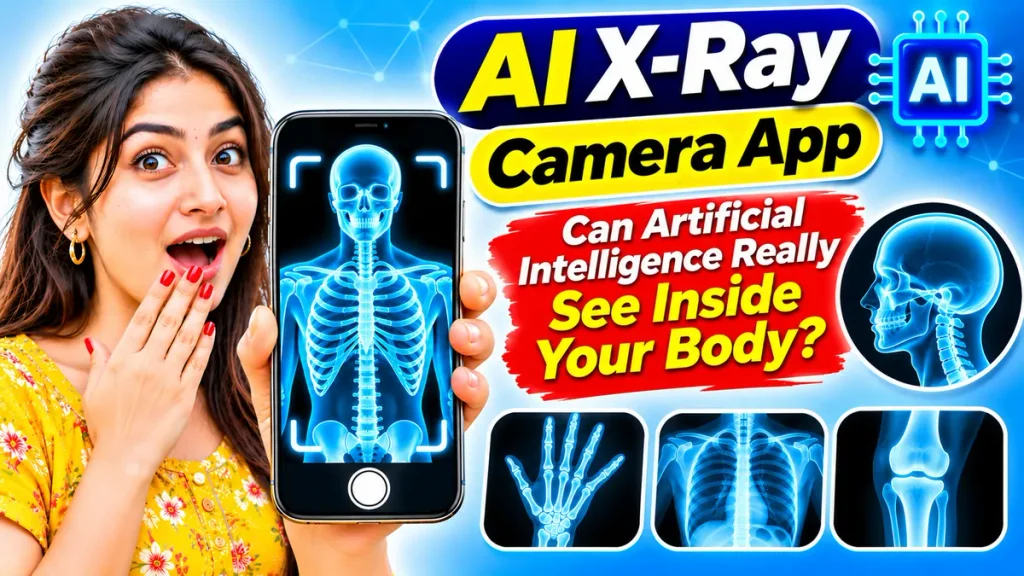
This complete guide explains AI X-Ray Camera Apps, Android compatibility, skeleton scanning effects, artificial intelligence technology, app features, installation steps, privacy considerations, and the difference between AI-generated images and genuine medical X-rays.
What Is an AI X-Ray Camera App?
An AI X-Ray Camera App is generally a mobile application that uses artificial intelligence, digital filters, or computer-generated graphics to create X-ray-style images.
These applications may analyze visible photographs, estimate body positions, and generate artificial skeleton illustrations.
Some apps provide camera effects that resemble medical scans. Others allow users to upload ordinary photographs and transform them into unusual X-ray-style pictures.
However, a standard smartphone cannot perform genuine medical X-ray imaging simply by installing artificial intelligence software.
Most consumer AI X-Ray Camera Apps are designed for entertainment, photo editing, or educational visualization.
Can Artificial Intelligence Really See Inside Your Body?
The answer depends on the technology involved.
Artificial intelligence cannot reveal actual bones or internal organs using an ordinary smartphone photograph alone.
Smartphone cameras primarily capture visible light. They lack the specialized hardware required to generate and detect medical X-ray radiation.
AI can estimate body shapes, recognize visible objects, and generate realistic-looking anatomical illustrations. However, these illustrations do not establish the actual condition of an individual’s internal organs or bones.
In medical environments, certain AI systems can help qualified professionals analyze genuine X-ray, CT, or MRI images obtained using specialized equipment.
That is fundamentally different from generating a simulated X-ray image using a phone camera.
AI X-Ray Camera App – Important Information
| Feature | Details |
|---|---|
| Application Category | AI Camera Effects and Simulation |
| Common Platform | Android and Other Supported Devices |
| Primary Function | Artificial X-Ray-Style Images |
| AI Image Generation | Available in Selected Applications |
| Skeleton Effects | Depends on Application |
| Body Position Detection | Supported by Some Tools |
| Real Bone Detection | Not Possible with Ordinary Phone Cameras |
| Medical Diagnosis | Not Suitable |
| Internet Requirement | Depends on AI Processing |
| Application Cost | Free or Paid, Depending on Developer |
| Photo Editing | Available in Certain Applications |
Features vary between applications, so users should review individual descriptions carefully.
Popular Features of AI X-Ray Camera Apps
1. AI Skeleton Image Generation
Some applications use artificial intelligence to produce skeleton illustrations based on ordinary photographs.
These images may resemble medical scans but are generated digitally.
2. X-Ray Photo Filters
AI-powered photo editors may transform photographs into blue, black, white, or negative-style images.
These effects can create interesting visual designs.
3. Virtual Body Scanner Effects
Selected applications display artificial skeleton overlays on visible body parts.
The overlays are simulations rather than actual internal scans.
4. Hand and Finger Skeleton Effects
Some apps identify visible hand positions and place prepared skeletal graphics over fingers.
These effects can appear interactive without detecting real bones.
5. AI Body Movement Tracking
Computer vision technology can estimate visible body positions and movements.
Applications may use this information to animate illustrated skeletons.
6. Creative Photo Editing
Users may adjust brightness, transparency, contrast, and digital effects to create customized X-ray-style artwork.
How Does an AI X-Ray Camera App Work?
Most AI X-Ray Camera Apps combine computer vision, image processing, and artificial graphics.
When users open the application, they may activate a camera preview or select an existing photograph.
The software analyzes visible information, such as outlines, hand positions, or body posture.
An AI model or image-processing system can then generate or position an artificial skeleton illustration.
Some applications use predefined overlays instead of advanced artificial intelligence.
The completed image may appear similar to an X-ray photograph, but it does not represent a genuine medical examination.
The technology creates a visual prediction or artistic effect rather than revealing hidden anatomy.
How to Download and Use AI X-Ray Camera App on Android – Step-by-Step Guide
Follow these steps to explore AI-powered X-ray simulation applications safely.
Step 1: Open a Trusted App Store
Open the official application marketplace on your Android smartphone.
Avoid unfamiliar websites offering modified installation packages.
Step 2: Search for AI X-Ray Camera Apps
Enter terms such as AI X-Ray Camera App, X-Ray Scanner Simulator, or AI Skeleton Camera.
Review the available applications.
Step 3: Read the Application Description
Check whether the developer clearly describes the application as an entertainment simulator or creative editing tool.
Avoid apps claiming unsupported medical scanning capabilities.
Step 4: Check Ratings and Privacy Information
Review user feedback, developer information, requested permissions, and privacy disclosures.
Pay particular attention to how uploaded photographs are handled.
Step 5: Install the Application
Choose a suitable application and complete installation through the trusted marketplace.
Step 6: Select an AI Effect
Open the application and explore its available skeleton, body scanner, or X-ray-style editing options.
Step 7: Upload or Capture a Photograph
Select an existing image or use the camera when necessary.
Avoid sharing sensitive personal photographs unnecessarily.
Step 8: Generate the Visual Effect
Apply the selected AI effect and allow the application to process the image.
Processing times depend on the tool and whether cloud services are used.
Step 9: Save Your Edited Image
Review the generated result and save it if the application supports exporting.
Remember that the image is a simulation and cannot identify medical conditions.
AI X-Ray Camera App vs Real Medical X-Ray
Understanding the difference between these technologies is essential.
| Feature | AI X-Ray Camera Simulator | Real Medical X-Ray |
|---|---|---|
| Main Purpose | Entertainment and Editing | Medical Imaging |
| Imaging Technology | AI and Digital Graphics | Specialized X-Ray Equipment |
| Actual Bone Imaging | No | Yes |
| Smartphone Camera Required | Sometimes | No |
| Medical Reliability | Not Diagnostic | Clinically Evaluated |
| Radiation Generation | No | Uses X-Ray Radiation |
| Professional Interpretation | Not Applicable | Important for Diagnosis |
Medical imaging requires suitable equipment and appropriate professional assessment.
Can AI Detect Broken Bones?
Artificial intelligence can assist in identifying suspected fractures when trained systems analyze genuine medical X-ray images.
However, these systems have limitations and should support, rather than replace, qualified clinical judgment.
An ordinary smartphone photograph does not provide the internal anatomical information necessary for reliable fracture detection.
Therefore, entertainment applications claiming to identify broken bones using only standard camera photographs should not be trusted.
If you suspect a fracture or internal injury, seek professional medical evaluation.
Are AI X-Ray Camera Apps Safe?
Most entertainment simulators do not generate medical X-ray radiation.
Nevertheless, application permissions and data security deserve attention.
Some tools process photographs on remote servers, potentially creating privacy concerns.
Before uploading images, review data collection policies, account requirements, and available deletion controls.
Avoid applications requesting unnecessary access to contacts, messages, or unrelated personal information.
Never use simulated scans to make decisions about medical treatment.
Common Misunderstandings About AI X-Ray Apps
One misunderstanding is that artificial intelligence can automatically reveal anything hidden beneath the skin.
AI can generate predictions or illustrations, but these are not equivalent to measurements obtained through medical equipment.
Another misconception is that realistic-looking images must contain accurate anatomical information.
AI-generated images may include incorrect structures, distorted bones, or other visual inaccuracies.
Understanding these limitations helps users enjoy creative effects without confusing them with genuine medical technology.
Frequently Asked Questions (FAQ)
1. Can an AI X-Ray Camera App actually see bones?
No. An ordinary smartphone camera cannot reveal actual bones. AI simulation applications generate artificial visual effects.
2. Are AI X-Ray Camera Apps available for Android?
Yes. Some Android applications provide AI-assisted photo effects, skeleton illustrations, and X-ray-style simulations.
3. Can AI X-Ray Camera Apps be downloaded for free?
Some applications offer free features, while others include advertisements, subscriptions, or paid editing tools.
4. Can artificial intelligence detect fractures?
Specialized medical AI can assist with analyzing genuine radiographic images, but ordinary phone-camera simulators cannot diagnose fractures.
5. Can AI X-Ray Apps see through clothing?
No. Standard smartphone cameras and entertainment applications cannot perform genuine X-ray imaging through clothing.
6. Do AI X-Ray Camera Apps require internet access?
Some applications process images locally, while others require internet connectivity for cloud-based AI features.
7. Are AI-generated skeleton images medically accurate?
Not necessarily. Generated illustrations may appear realistic but do not represent verified internal anatomy.
Conclusion
AI X-Ray Camera Apps for Android offer creative possibilities through artificial intelligence, skeleton effects, simulated body scans, and digital photo editing. These technologies can generate impressive images that resemble medical X-rays.
However, artificial intelligence cannot transform an ordinary smartphone camera into genuine medical imaging equipment. AI-generated skeleton illustrations are visual simulations, not reliable examinations of internal bones or organs.
Before downloading an AI X-Ray Camera Simulator, review its features, permissions, privacy policies, and developer information. Enjoy these applications for entertainment or creative projects, but rely on qualified healthcare professionals and proper medical imaging for diagnosis.