DJ Mixer Apps – Experiment with Mixing Music on Your Mobile
Have you ever wondered how DJs combine different songs, create smooth transitions, and add exciting sound effects during live performances? Music mixing traditionally required expensive equipment, professional software, and specialized skills. Today, DJ Mixer Apps allow beginners and music enthusiasts to experiment with mixing songs directly from their smartphones.
Modern mobile DJ applications provide virtual turntables, beat-matching tools, equalizers, loops, and audio effects. Users can combine supported tracks, adjust playback speed, and experiment with creative transitions. Some applications also provide automatic mixing and AI-assisted features that simplify basic music production.
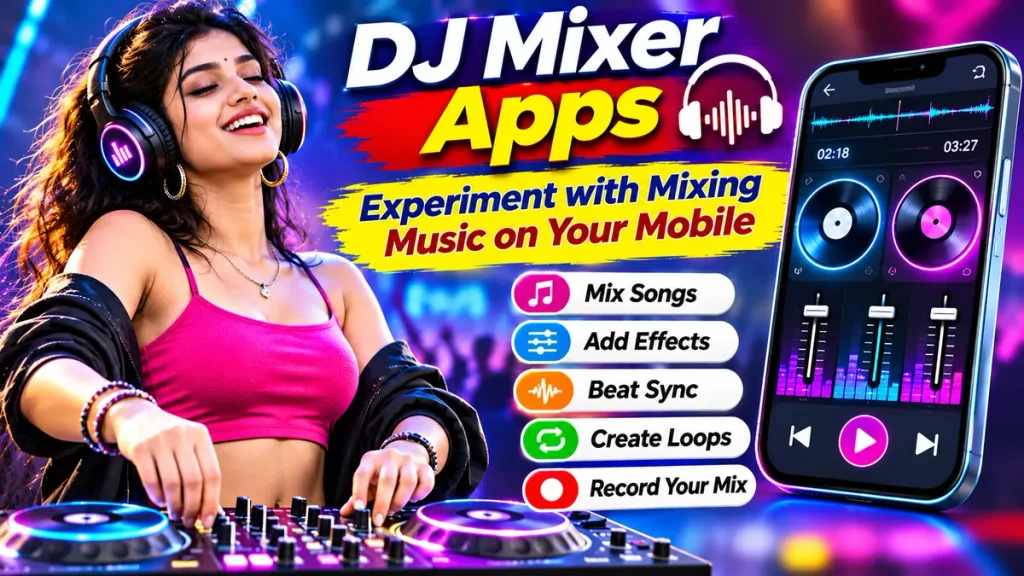
Whether you enjoy Bollywood dance music, electronic beats, Punjabi songs, or international tracks, a Mobile DJ Mixer App can help you develop practical mixing skills. This guide explains popular applications, important features, and simple techniques for creating your first music mix.
What Is a DJ Mixer App?
A DJ Mixer App is a digital music application designed to combine audio tracks and create transitions between songs.
These applications simulate traditional DJ equipment through touchscreen controls.
Many include two virtual decks, allowing users to play separate tracks simultaneously.
Common features include:
- Virtual DJ turntables.
- Two-deck music mixing.
- Automatic beat detection.
- BPM synchronization.
- Crossfader controls.
- Sound effects and filters.
- Music loops and cue points.
- Audio recording where supported.
Available tools depend on the application, subscription plan, and smartphone compatibility.
How Does a Mobile DJ Mixer Work?
A mobile DJ mixer loads compatible music files into separate playback decks.
Users can play one song while preparing another.
The application may detect each song’s tempo, commonly measured in beats per minute or BPM.
Beat-matching tools help align the rhythm of two tracks.
A crossfader then controls the volume balance between them.
For example, a user can gradually transition from one dance track to another while maintaining a consistent rhythm.
Additional effects, filters, and loops can make the transition more creative.
However, successful mixing still requires listening practice and an understanding of musical timing.
Best DJ Mixer Apps for Android and iPhone
Several established applications provide music mixing features.
1. djay by Algoriddim – AI DJ Mixing App
djay is a music mixing application developed by Algoriddim.
It offers virtual DJ decks, beat synchronization, audio effects, and advanced music performance tools.
Important Features:
- Two-deck DJ mixing.
- Automatic BPM detection.
- Beat synchronization.
- Equalizer and filter controls.
- Virtual turntables.
- Music library integration.
- Advanced AI-assisted mixing.
djay provides free core mixing features.
Its optional PRO subscription unlocks additional capabilities, including Neural Mix and advanced performance tools.
Supported streaming integrations may require separate music service subscriptions.
2. edjing Mix – Mobile DJ Music Mixer
edjing Mix is a mobile application designed for music mixing using smartphones and tablets.
It provides virtual decks and tools for experimenting with transitions.
Important Features:
- Dual-deck music mixing.
- BPM detection and synchronization.
- Crossfader controls.
- Audio effects.
- Loops and samples.
- Music library access.
- Recording of supported mixes.
edjing Mix supports Android and iOS devices.
The application offers free mixing features alongside optional purchases.
Some recording features depend on the source music and applicable restrictions.
DJ Mixer Apps Comparison Table
| DJ Mixer App | Main Features | Best For |
|---|---|---|
| djay | Beat matching, virtual decks, AI tools | Beginner and advanced mixing |
| edjing Mix | Dual decks, effects, loops | Mobile DJ practice |
Note: Features, subscription charges, streaming integrations, and device compatibility may change.
Important Features of DJ Mixer Apps
Understanding basic DJ controls makes mixing easier.
| DJ Feature | Main Purpose |
|---|---|
| Virtual Decks | Play separate music tracks |
| BPM Detection | Identify song tempo |
| Beat Sync | Align rhythmic timing |
| Crossfader | Transition between tracks |
| Equalizer | Adjust bass, mids, and treble |
| Loop | Repeat selected music sections |
| Cue Point | Mark a playback position |
| Audio Effects | Modify sound creatively |
Beginners should practise these controls individually before combining them.
How to Mix Songs on Your Mobile
Follow these steps to create a simple DJ mix.
Step 1: Choose a Trusted DJ App
Select an application supporting virtual decks and compatible music files.
Step 2: Install the Application
Download the official app from a recognized application store.
Step 3: Prepare Your Music
Choose two legally obtained tracks with suitable musical characteristics.
Step 4: Load the First Song
Place the opening track onto the first virtual deck.
Step 5: Add the Second Song
Load another compatible track onto the second deck.
Step 6: Match the Beats
Use BPM detection and synchronization where available.
Step 7: Adjust the Crossfader
Gradually introduce the second song while reducing the first.
Step 8: Experiment With Effects
Try filters, equalizer adjustments, or short loops.
Step 9: Review Your Mix
Listen carefully and improve the timing of transitions.
Step 10: Save When Permitted
Record your mix only when the application and music rights allow it.
What Music Can You Mix Using DJ Apps?
Different music genres provide different opportunities for mixing.
| Music Genre | Mixing Possibilities |
|---|---|
| Bollywood Dance | Energetic party transitions |
| Punjabi Music | Rhythmic dance mixes |
| Electronic Dance Music | Beat-based transitions |
| Hip-Hop | Rhythm and vocal mixing |
| House Music | Continuous electronic mixes |
| Independent Music | Creative original arrangements |
Music availability depends on compatible files, connected services, and licensing permissions.
Free DJ Mixer Apps vs Premium Features
| Feature | Free Version | Premium Version |
|---|---|---|
| Basic Music Mixing | Often available | Available |
| Virtual Decks | Usually included | Additional modes may apply |
| Beat Matching | Basic tools | Advanced controls |
| Audio Effects | Limited selection | Expanded selection |
| AI Mixing Features | May be restricted | More advanced options |
| Music Recording | Source-dependent | Subject to source restrictions |
Premium access does not automatically grant permission to record copyrighted streaming music.
Benefits of Using Mobile DJ Mixer Apps
Learn DJ Skills at Home
Beginners can explore mixing techniques without purchasing expensive professional equipment.
Experiment With Different Music
Users can discover how different tempos and genres work together.
Improve Musical Timing
Beat matching helps develop rhythm awareness and listening skills.
Create Personal Mixes
Supported recording options allow users to review their original mixing experiments.
Explore Creative Sound Effects
Filters, loops, and equalizers offer opportunities to create interesting transitions.
Tips for Better DJ Mixing
Start with two tracks having similar tempos.
Practise simple transitions before adding complex effects.
Use headphones to hear musical details clearly.
Avoid excessive bass when combining two tracks.
Learn how song introductions and breakdowns are structured.
Keep effects subtle until your timing improves.
Experiment with music you own or have permission to use.
Remember that successful mixing depends on practice rather than automatic tools alone.
Frequently Asked Questions (FAQs)
1. Which is the best DJ mixer app?
djay and edjing Mix offer useful mobile mixing tools. The best choice depends on individual needs and device compatibility.
2. Can I mix songs using my smartphone?
Yes. Supported DJ applications provide virtual decks, crossfaders, and beat-matching features.
3. Are DJ mixer apps free?
Some applications offer free basic tools, while advanced features require subscriptions or purchases.
4. Can beginners learn DJ mixing at home?
Yes. Beginners can practise transitions, tempo matching, and equalizer controls through mobile applications.
5. Can I record my DJ mixes?
Some applications allow recording from eligible audio sources. Streaming music may have recording restrictions.
6. Do DJ mixer apps work without internet?
Certain applications support offline mixing with compatible local audio files, although streaming features require connectivity.
Conclusion
DJ Mixer Apps provide convenient opportunities to experiment with music mixing through smartphones. Virtual decks, beat matching, crossfaders, loops, and audio effects allow beginners to explore techniques traditionally associated with professional DJ equipment.
djay and edjing Mix offer different mobile music mixing features. Choose a suitable application, practise basic transitions, and experiment creatively while respecting copyright restrictions and music licensing conditions.
Disclaimer
This article is provided for general educational and informational purposes only. DJ mixer application features, subscription prices, supported streaming platforms, recording options, and device compatibility may change without prior notice. All mentioned applications are independent third-party services, and no commercial affiliation or endorsement is implied. Music recordings and compositions may be protected by copyright and licensing agreements. Access to a song does not automatically permit recording, remix distribution, public performance, or commercial use. Users should review application terms and obtain necessary permissions before publishing or monetizing mixes. This article does not promote music piracy or unauthorized distribution of copyrighted recordings.