Just Enter Your Vehicle Number! Discover Available RC, Insurance & RTO Details Online
Have you ever wondered what information you can find using your car or bike registration number? Many vehicle owners in India are unaware that their vehicle number can help them access important registration details, insurance validity information, and RTO records through authorised online services. Whether you own a motorcycle, scooter, car, or commercial vehicle, checking these details can help you manage your vehicle documents more effectively.
Imagine preparing for a long journey and suddenly wondering whether your vehicle insurance is still active or your Registration Certificate (RC) details are correct. Instead of searching through old paperwork, you can use government-supported vehicle information services to check available records from your smartphone or computer.
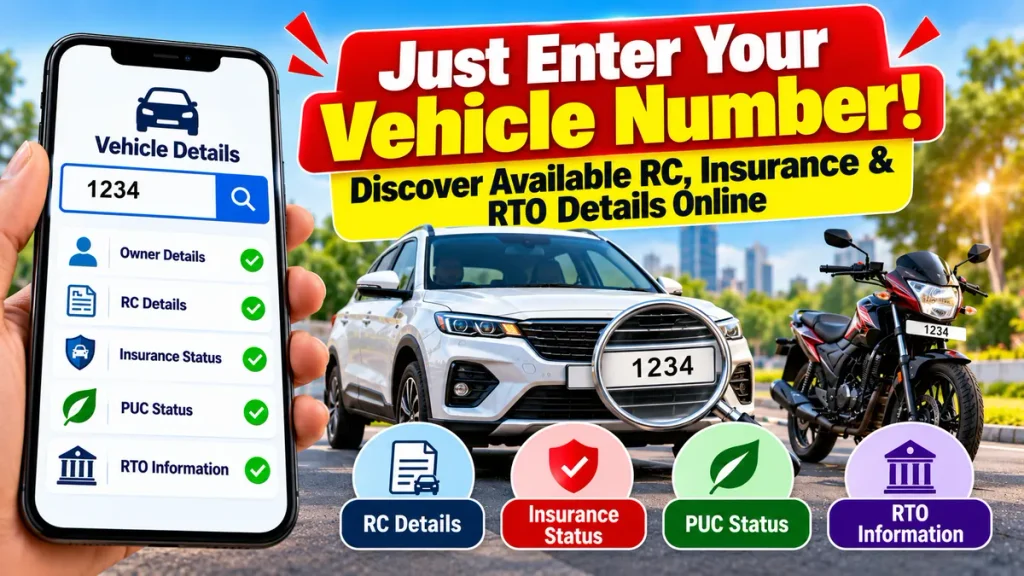
India’s digital transport services have made vehicle registration verification more convenient. In this guide, you will learn how to check vehicle details by registration number, verify RC status, review insurance validity, identify RTO information, and understand which vehicle records are available online.
Why Should You Check Vehicle Details Using the Registration Number?
Every registered motor vehicle in India is assigned a unique registration number by the relevant transport authority. This number helps identify the vehicle within official registration databases.
Checking vehicle information online is useful for both existing owners and people planning to purchase a second-hand vehicle.
Major Benefits of Online Vehicle Verification
- RC verification: Check available registration information and validity.
- Insurance status: Review recorded insurance expiry information.
- RTO identification: Find the registering transport authority.
- Vehicle specifications: Verify the make, model, vehicle class, and fuel type.
- Used vehicle verification: Compare registration records with documents provided by a seller.
- Document management: Identify important renewal requirements.
- Convenience: Access eligible information without visiting an RTO office for routine enquiries.
However, not every vehicle record is publicly accessible. Personal information and certain sensitive details may be restricted.
How to Check Vehicle Details Online Using Registration Number
The official Parivahan platform provides a Know Your Vehicle Details facility that helps users access basic information associated with a supplied vehicle number.
Parivahan
Step-by-Step Vehicle Number Search Process
Step 1: Open the Parivahan Portal
Visit the official government-supported Parivahan vehicle information service.
Step 2: Select Know Your Vehicle Details
Navigate to the vehicle registration information section.
Step 3: Complete Mobile Verification
Sign in or complete the required mobile OTP verification, where applicable.
Step 4: Enter Your Vehicle Registration Number
Type the registration number of your car, bike, scooter, or other registered vehicle correctly.
Step 5: Submit the Search
Complete any captcha or additional authentication requested by the platform.
Step 6: View Available Vehicle Information
The system may display details such as vehicle class, registration date, registering authority, insurance validity, and other non-sensitive records.
Step 7: Verify Important Information
Compare the results with your original RC, insurance policy, and other relevant vehicle documents.
Information availability depends on database records, authentication, and privacy restrictions.
What Details Can You Find Using a Vehicle Number?
A registration-number search can help users review several categories of vehicle information.
| Vehicle Information | Available Details | Importance |
|---|---|---|
| Registration Number | Registered vehicle number | Vehicle identification |
| RC Details | Available registration information | Registration verification |
| Registration Date | Date of initial registration | Vehicle age |
| RTO Details | Registering transport authority | RTO identification |
| Vehicle Class | Car, bike, scooter, etc. | Vehicle classification |
| Fuel Type | Petrol, diesel, CNG, electric | Vehicle specifications |
| Insurance Validity | Recorded insurance expiry | Renewal planning |
| PUC Validity | Available pollution certificate status | Emission compliance |
| Vehicle Status | Available registration status | Document verification |
| Hypothecation | Whether a financier interest is recorded | Useful for used vehicles |
The government’s vehicle data-sharing framework limits public access to selected non-sensitive information. Full personal details are not generally available from an ordinary public vehicle search.
Ministry of Road Transport & Highways
How to Check Vehicle RC Status Online
A Registration Certificate is an official record confirming that a motor vehicle has been registered with a transport authority.
The RC generally contains identifying information about the vehicle, including its registration number, category, technical specifications, and registration-related details.
Important RC Details to Verify
Registration Number: Confirm that the number matches the vehicle’s number plate.
Registration Date: Check when the vehicle was first registered.
Vehicle Make and Model: Compare the official description with the actual vehicle.
RTO Authority: Identify the transport office responsible for the registration.
Registration Validity: Review the available validity information.
Vehicle Status: Check whether the registration record indicates any issue requiring attention.
For full details about your own registered vehicle, authenticated digital RC facilities may provide more information than a basic public search.
How to Check Vehicle Insurance Validity Online
Motor insurance is an essential part of vehicle ownership in India.
Third-party motor insurance is generally mandatory for vehicles used on public roads. Depending on the policy, additional insurance may protect against damage, theft, and other covered risks.
Vehicle owners should regularly check their policy validity to avoid accidental coverage lapses.
Steps to Check Insurance Validity
- Access an authorised vehicle information service.
- Enter your registration number.
- Complete the required authentication.
- Locate the recorded insurance-validity information.
- Compare the expiry date with your insurer’s policy certificate.
- Contact the insurer if the record appears outdated or incorrect.
The official transport system can display recorded insurance validity, but the actual insurance policy should be verified with the issuing company when clarification is necessary.
Why Insurance Verification Matters
An expired insurance policy can leave a vehicle owner exposed to financial and legal risks.
Driving without legally required third-party coverage can result in enforcement action.
Insurance verification is also important when buying a second-hand car or motorcycle. The buyer should confirm the policy and complete the necessary insurance transfer or endorsement procedures.
How to Find RTO Details From Vehicle Number
The Regional Transport Office, or RTO, plays an important role in vehicle registration and transport-related administration.
Every vehicle registration number follows an official numbering system that helps identify its registration jurisdiction.
For example, the initial letters often represent a state or Union Territory, followed by a code associated with the registering authority.
Examples of Vehicle Registration Codes
| Registration Code | State |
|---|---|
| WB | West Bengal |
| DL | Delhi |
| MH | Maharashtra |
| KA | Karnataka |
| TN | Tamil Nadu |
| UP | Uttar Pradesh |
| BR | Bihar |
| GJ | Gujarat |
| RJ | Rajasthan |
| OD | Odisha |
| AS | Assam |
| TS / TG | Telangana |
The exact registering authority should be confirmed through the official vehicle record rather than relying only on a registration prefix.
Why RTO Details Are Useful
RTO information can help vehicle owners with registration-related enquiries, ownership transfers, address changes, fitness certification, and other applicable administrative procedures.
It is especially helpful when purchasing a used vehicle registered in another district or state.
Check Vehicle Details Using the mParivahan App
The mParivahan application allows users to access supported vehicle and driving licence information on mobile devices.
It provides a convenient way to review vehicle registration details and several document-validity records.
Features of mParivahan
- Check available registration information.
- View recorded insurance validity.
- Review relevant fitness and permit validity information.
- Access authenticated digital RC records.
- View available driving licence information.
- Manage certain transport-related digital documents.
The Indian government recognises eligible digital RC and driving licence records accessed through authorised systems such as mParivahan and DigiLocker.
Press Information Bureau
Always install the authentic application and avoid unverified third-party APK downloads.
Check Vehicle Details Before Buying a Used Car or Bike
Vehicle-number verification becomes particularly valuable when purchasing a second-hand vehicle.
A used car may appear well-maintained, but buyers should also investigate its registration identity and legal documentation.
Essential Checks Before Purchase
- Compare the registration number with the RC.
- Verify the chassis and engine numbers against original records.
- Confirm the vehicle’s registered make and model.
- Check the recorded insurance validity.
- Examine whether any vehicle finance interest remains.
- Review available traffic challan information.
- Check applicable registration, fitness, and PUC requirements.
- Confirm that the seller can legally transfer ownership.
A vehicle number alone cannot reveal every accident, mechanical problem, or legal dispute. Buyers should also obtain a physical inspection and verify supporting documents.
What to Do If Vehicle Details Are Incorrect
Sometimes, vehicle information displayed online may differ from the records held by the owner.
This can happen because of delayed database updates, incomplete information, registration errors, or insurance reporting delays.
First, compare the displayed data with your authentic vehicle documents.
If the insurance expiry appears incorrect, contact the issuing insurance company.
For RC-related errors, consult the relevant registering authority and follow the applicable correction procedure.
Avoid relying on unofficial agents who promise immediate record changes without proper documentation.
Tips to Keep Your Vehicle Documents Updated
Maintaining accurate vehicle records can help reduce administrative problems.
Check insurance renewal dates before the existing policy expires. Review PUC validity and arrange testing when required.
Keep copies of your Registration Certificate and other relevant documents securely.
If you sell your vehicle, follow the official ownership transfer process rather than relying only on a private sale agreement.
Whenever you change your address, vehicle particulars, or registration-related information, complete the required procedures through authorised channels.
You should also periodically review pending traffic challans and other vehicle obligations.
Frequently Asked Questions (FAQs)
1. Can I check vehicle details using only the registration number?
Yes. A registration number can be used to search available basic vehicle records through supported services. Login, OTP verification, or other details may also be required.
2. How can I check RC details online?
Access the official Parivahan vehicle information service, provide the registration number, complete verification, and review the available registration records.
3. Can I check car insurance expiry using the vehicle number?
Yes. Recorded insurance validity may be available through authorised vehicle information services. For confirmation, check the policy directly with the insurer.
4. How can I find my bike’s RTO details?
Enter your motorcycle registration number through an authorised vehicle information service to identify the available registering authority information.
5. Is it possible to find the complete vehicle owner’s name and address?
Full personal information is generally restricted. Public vehicle searches normally provide only permitted information, with sensitive details masked or withheld.
6. Can I check vehicle PUC status online?
Yes. Available pollution certificate information can be checked through supported government systems, sometimes requiring additional vehicle details.
7. Can I verify a second-hand vehicle before purchasing it?
Yes. Registration searches can help verify basic vehicle information, but buyers should also check authentic documents, loan records, challans, and mechanical condition.
8. What should I do if my insurance validity is not updated?
Contact your insurer and confirm the policy status. Vehicle databases can occasionally take time to reflect new information.
9. Can I check vehicle information using my mobile phone?
Yes. Supported government vehicle information services can be accessed on mobile devices, including through mParivahan.
10. Is online vehicle registration verification free?
Basic information searches may be available without a separate search charge. Some authenticated services, applications, certificates, and administrative transactions may carry applicable fees.
Conclusion
Checking available vehicle information online is a convenient way to understand important registration and document details associated with your car, bike, or scooter.
Using your vehicle registration number, you can access permitted information about RC records, insurance validity, registering RTO authorities, and other relevant vehicle details through government-supported platforms.
These services can be particularly useful when managing vehicle documents, preparing for insurance renewal, or considering the purchase of a second-hand vehicle.
However, online information should always be compared with authentic documents, especially when completing insurance, financing, or ownership-related transactions.
Just enter your vehicle registration number through an authorised vehicle information service, review the available RC, insurance, and RTO details, and keep your documents updated. Regular verification can help you make informed decisions and maintain your vehicle responsibly.