Listen to FM Radio Live – Music, News & Entertainment Anytime
Radio continues to be one of the easiest ways to enjoy music, news, talk shows, and entertainment. Today, you no longer need a traditional radio set to tune in. With a smartphone and an internet connection, you can listen to FM radio live from almost anywhere.
Live radio streaming has made it simple to access music stations, news channels, regional broadcasts, entertainment programs, interviews, devotional content, and more directly from your phone, tablet, laptop, or smart device.
Whether you are travelling, working, relaxing at home, or looking for background music, online FM radio can give you quick access to live audio without needing to download individual songs.
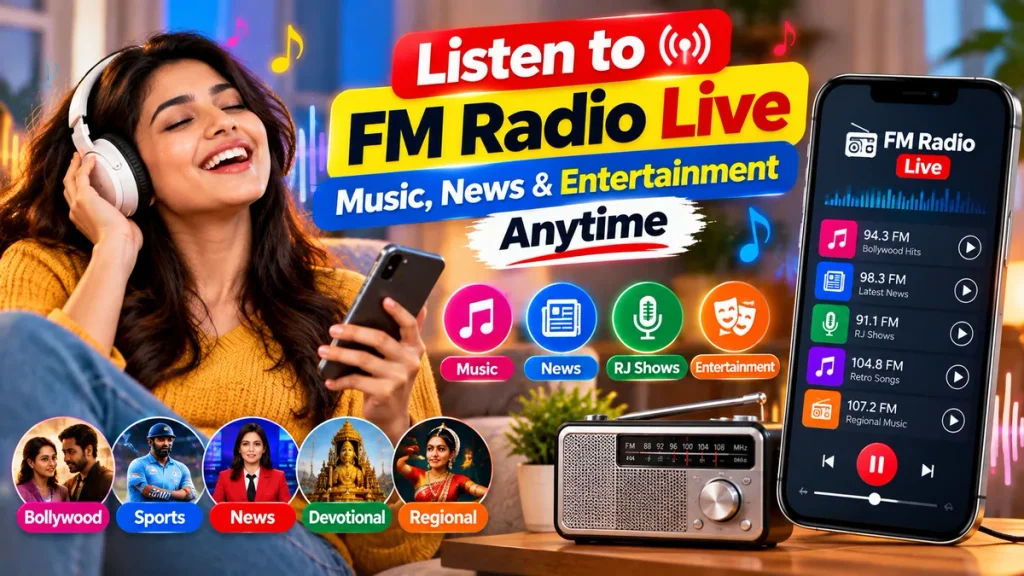
This guide explains how to listen to FM radio online, what features to look for, how internet radio works, how much data it may use, and how to get a better listening experience.
What Is Live FM Radio?
FM radio traditionally refers to radio broadcasts transmitted over FM frequencies. However, many radio stations now also stream their programs online.
This means you can listen to supported radio stations through:
- Mobile apps
- Official radio websites
- Online radio platforms
- Smart speakers
- Desktop computers
- Tablets
- Smart TVs
Online radio streaming allows listeners to access stations even when they are outside the station’s normal broadcast area.
For example, someone living in a different city may still be able to listen to a regional station through its official online stream.
Live FM Radio at a Glance
| Feature | Details |
|---|---|
| Main Content | Music, news, talk shows, entertainment |
| Devices | Phone, tablet, laptop, smart speaker |
| Internet Required | Yes for online streaming |
| Free Stations | Many stations are available free |
| Regional Content | Available on many services |
| Music Categories | Bollywood, regional, old songs, pop and more |
| News Updates | Available on selected stations |
| Background Playback | Supported by many apps |
| Data Usage | Usually lower than video streaming |
| Main Benefit | Listen to live audio anytime and anywhere |
Why Listen to FM Radio on Your Phone?
Listening to radio on a smartphone is convenient because your phone is usually with you throughout the day.
Instead of carrying a separate FM receiver, you can use an online radio app or website to listen to live stations.
This can be useful while:
Travelling, commuting, working, exercising, cooking, studying, driving, or relaxing.
Another major advantage is variety.
Traditional FM radio usually gives you access to stations available within your local broadcast range. Online radio may allow you to discover stations from different cities, states, and even countries.
Listen to Live Music on FM Radio
Music is one of the biggest reasons people listen to radio.
Depending on the station, you may hear:
- Bollywood songs
- Hindi music
- Bengali songs
- Punjabi music
- Tamil songs
- Telugu songs
- Malayalam music
- Kannada songs
- Marathi music
- Gujarati music
- English pop
- Retro songs
- Devotional music
Many music stations also include RJ conversations, song requests, contests, celebrity interviews, and entertainment updates.
Unlike a fixed playlist, live radio can feel more dynamic because the programming changes throughout the day.
Listen to Live News on Radio
Radio is also useful for quick news updates.
Many stations broadcast:
Breaking news, local updates, weather reports, traffic information, business news, sports updates, interviews, and public-interest programs.
For people who do not want to watch a full video news broadcast, radio can be a convenient alternative.
You can continue listening while doing other activities because radio does not require you to keep looking at the screen.
Regional FM Radio Online
Regional radio remains popular because it provides content in local languages and focuses on local audiences.
Depending on the platform, you may find stations in languages such as:
Hindi, Bengali, Assamese, Gujarati, Marathi, Punjabi, Tamil, Telugu, Kannada, Malayalam, Odia and others.
Regional radio stations may include:
Local news, regional songs, cultural programs, community updates, interviews, religious content, and entertainment shows.
For people living away from their home state, regional online radio can be a simple way to stay connected with familiar language and culture.
How to Listen to FM Radio Live Online
Listening to live radio online is generally simple.
First, choose a trusted radio app, official station website, or recognized streaming service.
Search for the radio station or category you want to hear.
Tap the station name or play button.
If required, allow the app to use your internet connection.
The live audio stream should begin within a few seconds, depending on your connection speed.
Some apps may also allow you to add stations to a favourites list for faster access later.
Do You Need Headphones for FM Radio?
It depends on how you are listening.
Some older smartphones with built-in FM radio hardware use wired headphones as an antenna. In that case, headphones may be required to receive traditional FM frequencies.
However, if you are listening through an online radio stream, headphones are usually optional.
You can listen through:
- Phone speakers
- Wired earphones
- Bluetooth earbuds
- Bluetooth speakers
- Car audio systems
This makes internet-based radio more flexible across different devices.
Online FM Radio vs Traditional FM Radio
Traditional FM radio and online FM streaming both have advantages.
Traditional FM radio does not normally require mobile data when the phone has supported FM hardware. However, reception depends on your location and signal strength.
Online radio uses the internet, but it may provide access to a much larger selection of stations.
With online streaming, you may be able to listen to a station from another city or state even when its normal FM signal cannot reach your location.
Online platforms may also provide extra features such as station search, favourites, recently played stations, and category filters.
How Much Data Does Online Radio Use?
Audio streaming generally uses less data than video streaming.
However, data usage depends on the audio quality or bitrate selected by the radio service.
Lower-quality audio uses less data, while higher-quality streams provide clearer sound but consume more.
If you have a limited mobile data plan, check whether the app provides options such as:
- Data Saver
- Low Quality
- Standard Quality
- High Quality
Using Wi-Fi for long listening sessions can also help reduce mobile data usage.
Best Internet Connection for Live Radio
Live radio does not usually require very high internet speeds, but the connection should be stable.
An unstable connection can cause:
Audio pauses, buffering, stream interruptions, or delayed playback.
A reliable Wi-Fi connection is suitable for home listening.
When travelling, a stable 4G or 5G mobile connection should generally be enough for online radio streaming.
If the stream keeps stopping, try switching to a lower audio quality if that option is available.
Features to Look for in an FM Radio App
A good online radio app should make it easy to find and organize stations.
Useful features may include:
Station search, language filters, genre filters, favourites, sleep timer, background playback, recently played stations, Bluetooth support, station recommendations, and low-data streaming.
Some apps may also show the name of the current song or program.
A sleep timer can be particularly useful if you like listening to music or radio programs before going to bed.
Discover New Music Through Radio
Streaming apps often recommend music based on your listening history, but radio provides a different way to discover songs.
A radio presenter or station playlist may introduce you to music you would not normally search for yourself.
This can include:
New releases, older classics, regional hits, independent artists, or songs connected to a particular theme.
Radio can therefore be useful for people who want variety without creating their own playlists.
Radio for Travel and Daily Commutes
Live radio can be a good companion during long journeys and daily commutes.
You can listen to:
Music, traffic updates, news bulletins, comedy programs, interviews, or sports discussions.
If your car supports Bluetooth or smartphone integration, you may also be able to play an online radio stream through the car’s speakers.
When driving, set up the station before starting your journey and avoid interacting with the phone while the vehicle is moving.
Free FM Radio vs Paid Audio Services
Many live radio stations can be accessed for free.
However, free platforms may contain advertisements.
Some audio services may offer premium plans with features such as:
Ad-free listening, higher audio quality, offline music, additional content, or personalized stations.
For basic live FM listening, a paid plan is not always necessary.
Before subscribing to any service, check whether the features you need are already available for free.
Can You Listen to Radio in the Background?
Many radio apps support background playback.
This means you can continue listening while:
Checking messages, browsing the web, using navigation, reading, or keeping the phone screen locked.
Background playback is one of the most useful features of mobile radio because it allows you to use your phone normally while the audio continues.
Battery usage may vary depending on the app and network connection.
How to Reduce Buffering While Listening to FM Radio
If your live radio stream keeps stopping, try these simple steps:
Check whether your internet connection is stable.
Move to a location with better mobile network reception.
Switch from mobile data to Wi-Fi if available.
Close apps that are using large amounts of internet data.
Select a lower audio quality.
Restart the radio app.
Make sure the app is updated.
If only one particular station is not working, the issue may be with that station’s stream rather than your device.
Stay Safe While Using Radio Apps
Download radio applications only from trusted sources.
Avoid unknown apps that request unnecessary permissions or promise access to suspicious premium content.
Before installing an app, review:
The developer name, app permissions, ratings, privacy information, subscription terms, and user reviews.
If a platform asks you to enter payment details, make sure you understand whether the service is free, paid, or part of a trial that may renew automatically.
Enjoy Music, News and Entertainment Anytime
Live FM radio remains a simple form of entertainment even in the age of video streaming and music-on-demand apps.
The main difference today is that radio is no longer limited to a physical radio receiver.
With online streaming, you can explore different stations, languages, music genres, and programs from a smartphone.
Whether you want songs during a morning walk, news during your commute, regional programs in the evening, or relaxing music at night, online radio makes it easy to find something to listen to.
Frequently Asked Questions
1. Can I listen to FM radio live on my phone?
Yes. You can listen through supported FM hardware or use online radio apps and websites.
2. Is online FM radio free?
Many radio stations are available free, although some apps may contain advertisements or offer optional premium features.
3. Does online radio require internet?
Yes. Internet radio requires Wi-Fi or mobile data. Traditional built-in FM radio may work without internet on supported phones.
4. Can I listen to regional radio stations online?
Yes. Many online radio services provide stations in different Indian languages and from different regions.
5. Does FM radio use a lot of mobile data?
Audio streaming generally uses less data than video, but actual usage depends on stream quality and listening duration.
6. Can I listen to radio while using other apps?
Yes. Many radio apps support background playback, allowing audio to continue while you use other apps.
7. Why does my live radio keep buffering?
Buffering may be caused by an unstable internet connection, network congestion, high audio quality, or a temporary issue with the station.
8. Can I play FM radio through Bluetooth speakers?
Yes. Online radio audio can generally be played through Bluetooth headphones, speakers, or compatible car audio systems.
9. Do I need headphones to listen to FM radio?
For internet radio, headphones are optional. Some phones with traditional FM hardware may require wired earphones to act as an antenna.
10. Is it safe to use online radio apps?
Yes, if you use trusted applications and official radio websites. Avoid downloading unknown apps from unverified sources.
Conclusion
Listening to FM radio live is an easy way to enjoy music, news, talk shows, regional programs, and entertainment anytime. With online radio apps and official station websites, you can access live broadcasts directly from your phone, tablet, laptop, or other connected device.
Choose trusted radio platforms, use a stable internet connection, add your favourite stations for quick access, and select an appropriate audio quality if you want to reduce mobile data usage.
Whether you enjoy Bollywood songs, regional music, live news, interviews, or entertainment programs, FM radio continues to offer a simple and enjoyable listening experience wherever you go.