Meditation Audio Apps – Discover Guided Sessions and Relaxing Sounds
Finding a few peaceful moments during a busy day can be challenging. Work responsibilities, digital distractions, and everyday pressures often leave little time for relaxation. Meditation Audio Apps provide convenient access to guided meditation sessions, calming sounds, breathing exercises, and mindfulness programmes directly through smartphones.
Modern meditation applications offer audio sessions designed for beginners and experienced listeners. Users can explore gentle narration, nature soundscapes, relaxing instrumental music, and structured mindfulness exercises. Many platforms also provide sleep meditation recordings, meditation timers, and personalized listening options.
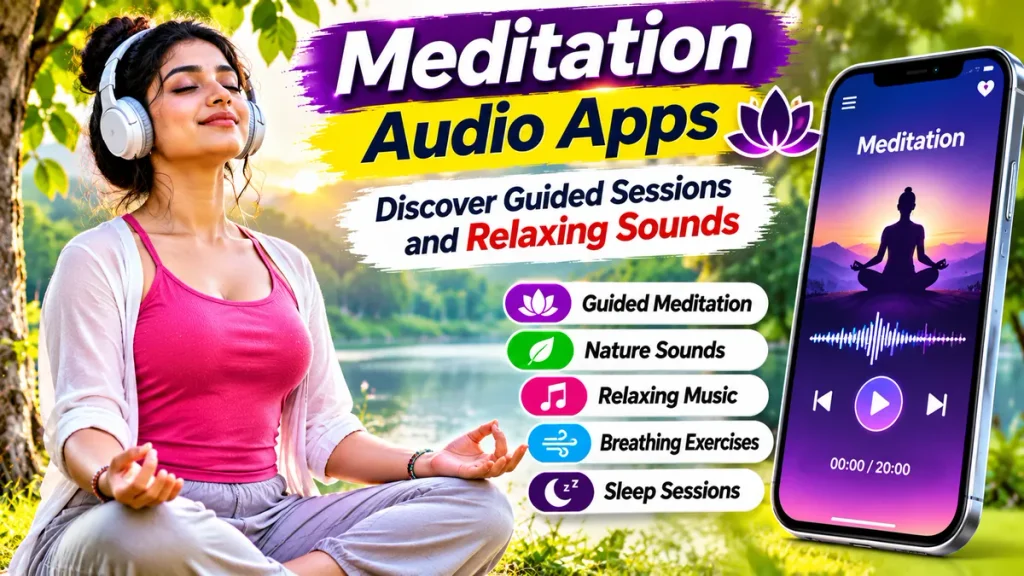
Whether you want to develop a meditation habit, explore relaxing sounds, or practise mindful breathing, a Guided Meditation App can offer useful resources. This guide explains popular applications, their features, free listening options, and practical ways to incorporate meditation into everyday routines.
What Are Meditation Audio Apps?
Meditation audio apps are digital wellness applications providing guided meditation recordings, breathing exercises, and relaxing audio content.
These platforms help users explore mindfulness practices through spoken instructions or self-guided sessions.
Common features include:
- Guided mindfulness meditation.
- Relaxing nature sounds.
- Breathing exercises.
- Sleep meditation recordings.
- Gentle instrumental music.
- Body scan exercises.
- Meditation timers.
- Personalized listening programmes.
- Offline playback where supported.
Available features depend on the selected application, device compatibility, and subscription plan.
How Do Guided Meditation Apps Work?
Guided meditation applications provide recorded instructions that encourage listeners to focus attention on breathing, bodily sensations, or surrounding sounds.
Users select a session based on their preferences and available time.
For example, a beginner may choose a short breathing meditation with gentle narration.
Someone preparing for bedtime might prefer nature sounds or a guided relaxation session.
Some applications allow users to select background audio and adjust the session duration.
However, meditation experiences vary between individuals. These applications support personal wellness practices but do not replace professional medical or psychological treatment.
Best Meditation Audio Apps for Android and iPhone
Several established applications offer guided meditation and relaxing audio features.
1. Calm – Guided Meditation and Relaxing Sounds
Calm is a meditation and relaxation application offering mindfulness sessions, sleep content, soundscapes, and breathing exercises.
Users can explore different audio experiences according to their interests.
Important Features:
- Guided meditation sessions.
- Nature soundscapes.
- Relaxing instrumental music.
- Sleep Stories.
- Breathing exercises.
- Timed meditation.
- Mindfulness programmes.
Calm offers a selection of free meditation sessions and audio content.
Its Premium subscription unlocks additional programmes, music, and relaxation features.
Calm is suitable for people who enjoy combining meditation with relaxing background audio.
2. Insight Timer – Free Guided Meditation Sessions
Insight Timer is a meditation platform offering a large collection of guided practices, talks, music, and mindfulness exercises.
Users can explore sessions led by different teachers.
Important Features:
- Guided meditation recordings.
- Breathing exercises.
- Relaxing music.
- Sleep meditation.
- Mindfulness courses.
- Meditation timer.
- Live meditation sessions.
- Community features.
Insight Timer provides extensive free content.
Its optional MemberPlus subscription offers additional features, including eligible offline downloads and premium courses.
It is useful for listeners interested in exploring different meditation styles.
3. Medito – Free Meditation and Sleep Audio
Medito is a nonprofit meditation application developed by the Medito Foundation.
It offers guided mindfulness exercises without mandatory subscription charges.
Important Features:
- Beginner meditation courses.
- Breathing exercises.
- Guided relaxation.
- Sleep stories.
- Rain and ocean sounds.
- Daily meditation sessions.
- Offline downloads.
- Unguided meditation timer.
Medito provides its meditation content without advertisements or subscription paywalls.
It is suitable for beginners seeking structured meditation guidance without recurring membership expenses.
Meditation Audio Apps Comparison Table
| Meditation App | Main Features | Best For |
|---|---|---|
| Calm | Meditation, sleep stories, music | Relaxing audio |
| Insight Timer | Guided sessions, timer, courses | Meditation variety |
| Medito | Free courses, breathing, sleep audio | Beginners and free listening |
Note: Application features, subscriptions, and available recordings may change.
Popular Types of Meditation Audio
Different meditation recordings provide different listening experiences.
| Meditation Type | Main Focus |
|---|---|
| Guided Meditation | Spoken mindfulness instructions |
| Breathing Meditation | Awareness of natural breathing |
| Body Scan | Attention to bodily sensations |
| Sleep Meditation | Gentle bedtime relaxation |
| Nature Sounds | Rain, rivers, ocean waves |
| Instrumental Music | Soft background melodies |
| Loving-Kindness Meditation | Compassion-focused reflection |
| Unguided Meditation | Independent practice with a timer |
Users can explore these categories according to their preferences.
How to Use Meditation Audio Apps on Your Phone
Follow these steps to begin a simple meditation routine.
Step 1: Choose a Trusted Application
Select a meditation platform offering suitable guided sessions.
Step 2: Install the App
Download the official application from a recognized app store.
Step 3: Explore Meditation Categories
Browse breathing, mindfulness, sleep, and relaxation recordings.
Step 4: Select a Beginner Session
Start with a short, manageable guided practice.
Step 5: Find a Comfortable Place
Sit or rest somewhere safe with minimal distractions.
Step 6: Adjust the Volume
Keep audio at a comfortable listening level.
Step 7: Follow the Instructions
Listen naturally without forcing yourself to achieve a particular feeling.
Step 8: Review Your Experience
Notice which sessions feel helpful and comfortable.
Free Meditation Apps vs Premium Features
| Feature | Free Access | Premium Access |
|---|---|---|
| Guided Meditation | Available selections | Additional sessions |
| Breathing Exercises | Often included | Expanded programmes |
| Relaxing Sounds | Selected recordings | Larger collections |
| Meditation Timer | Available on some apps | Additional settings |
| Offline Listening | Platform-dependent | Often supported |
| Subscription Payment | Not required | Depends on service |
Medito differs from subscription-based platforms by offering its core content free without paywalls.
Benefits of Using Meditation Audio Apps
Build Mindfulness Habits
Guided recordings provide structure for people interested in practising mindfulness regularly.
Explore Relaxation Techniques
Breathing exercises and gentle audio can support personal relaxation routines.
Discover Different Meditation Styles
Users can experiment with body scans, mindful breathing, and guided reflection.
Develop a Bedtime Routine
Some recordings provide a calming listening experience before sleep.
Practise Conveniently
Short sessions can fit into suitable moments throughout the day.
Individual experiences vary, and meditation is not guaranteed to improve every health condition.
Tips for Choosing the Best Meditation App
Compare guided meditation styles and available session durations.
Check whether free content meets your needs before purchasing a subscription.
Choose narration and background sounds you find comfortable.
Review available offline listening features.
Avoid applications making unrealistic promises about curing medical conditions.
If an exercise causes distress, discontinue it and seek appropriate professional guidance.
Frequently Asked Questions (FAQs)
1. Which is the best meditation audio app?
Calm, Insight Timer, and Medito offer different meditation features. The best choice depends on personal preferences.
2. Are meditation audio apps free?
Yes. Several platforms provide free sessions. Medito offers free meditation content without subscription paywalls.
3. Can beginners use guided meditation apps?
Yes. Many applications offer short introductory sessions designed for people new to meditation.
4. Can I listen to meditation audio offline?
Some platforms support offline downloads. Availability depends on the selected application and plan.
5. Are rain sounds useful during meditation?
Some people find rainfall recordings relaxing, while others prefer silence or spoken guidance.
6. Can meditation apps treat anxiety or insomnia?
Meditation may support wellbeing for some people, but apps are not substitutes for professional assessment or treatment.
Conclusion
Meditation Audio Apps make exploring guided mindfulness sessions, breathing exercises, relaxing sounds, and gentle music convenient through smartphones. These applications provide different options for people interested in developing personal meditation routines.
Calm, Insight Timer, and Medito offer distinct listening features and free access options. Choose a trusted platform, begin with manageable sessions, and explore meditation techniques that suit your preferences and comfort.
Disclaimer
This article is provided for general educational and informational purposes only and does not constitute medical advice, diagnosis, or treatment. Meditation applications, guided relaxation exercises, breathing techniques, and calming audio do not guarantee relief from anxiety, insomnia, stress, or other health conditions. Individual responses may vary, and some practices may feel uncomfortable or distressing. Application features, subscription prices, free content, and offline listening options may change without notice. Readers should use audio at safe volumes and consult qualified healthcare professionals for persistent sleep difficulties, mental health concerns, or other medical symptoms. No mentioned application is affiliated with or endorsed by this publication.