Music Player Apps with Equalizer – Adjust Bass and Customize Your Sound
Listening to music becomes more enjoyable when the sound matches your personal preferences. Some listeners prefer powerful bass, while others enjoy clear vocals, balanced instruments, and detailed treble. Music Player Apps with Equalizer allow users to adjust different audio frequencies directly from their smartphones, creating a customized listening experience.
Modern Android music players provide graphic equalizers, bass controls, audio presets, and support for multiple music formats. Many applications also play locally stored songs without requiring an internet connection. These features are useful for people who regularly listen to Bollywood music, Bengali songs, Punjabi tracks, electronic music, or international recordings.
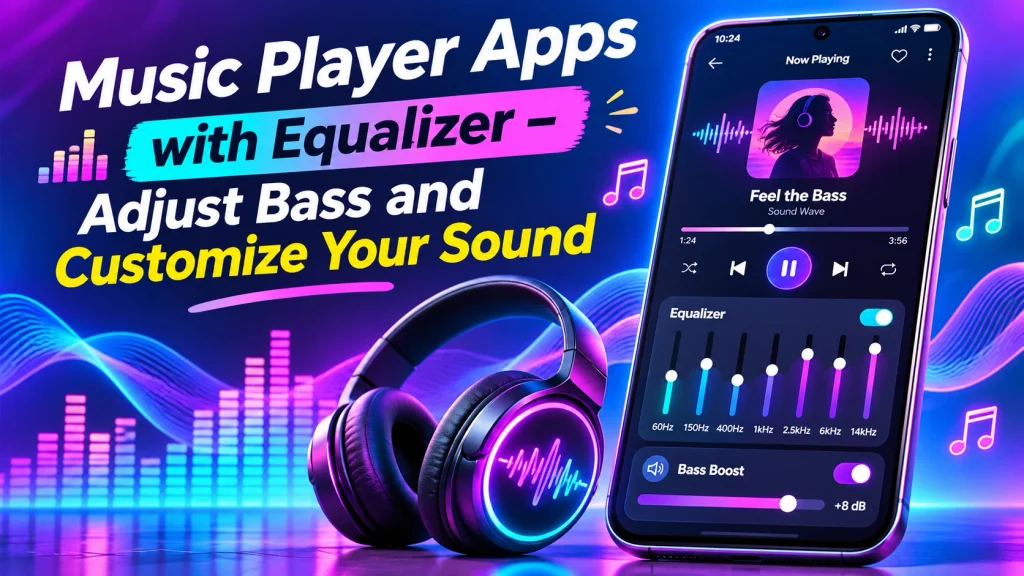
Whether you use wired earphones, Bluetooth headphones, or smartphone speakers, a Music Player App with Bass Boost can help you experiment with sound settings. This guide explores popular applications, their features, comparison tables, and practical methods for adjusting music playback.
What Is a Music Player App with Equalizer?
A music player with an equalizer is an audio application that allows users to modify the volume of different frequency ranges.
An equalizer, commonly called EQ, provides controls for bass, midrange, and treble frequencies.
Common features include:
- Adjustable bass and treble.
- Graphic equalizer controls.
- Audio presets for different music styles.
- Offline MP3 playback.
- Custom sound profiles.
- Playlist management.
- Bluetooth audio support.
- Multiple audio format compatibility.
Available controls depend on the selected application, operating system, and connected audio device.
How Does an Audio Equalizer Work?
An audio equalizer adjusts the relative levels of frequency ranges within a recording.
Low frequencies contribute to bass instruments and deep rhythmic sounds.
Midrange frequencies contain important vocal and instrumental details.
Higher frequencies influence cymbals, brightness, and certain aspects of sound clarity.
For example, increasing lower frequencies may make electronic dance music sound heavier.
Reducing excessive bass may improve vocal clarity on certain headphones.
However, aggressive adjustments can introduce distortion. Equalizers modify playback characteristics rather than permanently improving the original recording quality.
Best Music Player Apps with Equalizer
Several established Android applications offer useful audio customization features.
1. Poweramp Music Player – Advanced Audio Equalizer
Poweramp is an Android music player designed for local audio playback and detailed sound customization.
It provides advanced equalization, audio processing controls, and support for different music formats.
Important Features:
- Parametric and graphic equalizers.
- Adjustable bass and treble.
- Custom audio presets.
- High-resolution output on compatible devices.
- Local music library management.
- Multiple audio formats.
- Bluetooth headphone customization.
Poweramp is suitable for users who want detailed control over their listening experience.
The application offers a free trial, followed by a one-time purchase to unlock its full version.
Actual high-resolution output depends on device compatibility.
2. VLC for Android – Free Music Player with Equalizer
VLC is a free, open-source multimedia application developed by VideoLAN.
It supports local audio files, videos, playlists, and customizable sound playback.
Important Features:
- Built-in audio equalizer.
- Equalizer presets.
- Custom sound adjustments.
- MP3 and FLAC playback.
- Local music library.
- Background audio playback.
- Playlist management.
VLC is useful for listeners who want one application for music and video playback.
Its equalizer can be enabled through the audio playback controls.
VLC provides free functionality without requiring a music subscription.
3. AIMP – Offline Music Player with Equalizer
AIMP is an Android audio player offering local music playback and advanced sound adjustment options.
It supports a wide selection of audio formats and playlist features.
Important Features:
- Built-in 20-band graphic equalizer.
- Custom audio presets.
- Volume normalization.
- MP3 and FLAC support.
- Multiple playlists.
- Folder-based music organization.
- Playback speed controls.
AIMP is particularly useful for users who prefer listening to saved music files offline.
Its equalizer allows detailed adjustments across different frequency bands.
Music Player Apps Comparison Table
| Music Player | Equalizer Features | Best For |
|---|---|---|
| Poweramp | Advanced graphic and parametric EQ | Detailed customization |
| VLC | Built-in EQ and presets | Free multimedia playback |
| AIMP | 20-band equalizer and normalization | Offline music listening |
Note: Application features, supported formats, and purchasing conditions may change.
Understanding Equalizer Frequency Settings
Different frequency ranges influence different parts of a music recording.
| Frequency Range | Common Audio Characteristics |
|---|---|
| 20–60 Hz | Deep bass and sub-bass |
| 60–250 Hz | Bass instruments and warmth |
| 250–500 Hz | Lower-midrange fullness |
| 500 Hz–2 kHz | Vocal and instrument body |
| 2–4 kHz | Presence and clarity |
| 4–20 kHz | Brightness and high-frequency detail |
These are approximate ranges. The effect depends on the recording and playback equipment.
How to Adjust Bass Using a Music Player App
Follow these steps to customize your music playback.
Step 1: Choose a Trusted Music Player
Select an application offering equalizer controls.
Step 2: Install the Application
Download it from a recognized application store.
Step 3: Open Your Music Library
Select a legally obtained song stored on your smartphone.
Step 4: Find Equalizer Settings
Open the audio settings or sound effects section.
Step 5: Enable the Equalizer
Activate the feature if it is disabled.
Step 6: Select a Preset
Try a balanced, bass-focused, or other available profile.
Step 7: Adjust Frequencies Gradually
Increase or decrease selected frequency bands in small amounts.
Step 8: Listen Carefully
Check whether vocals remain clear and distortion is absent.
Step 9: Save Your Settings
Store a custom preset if the application supports it.
Best Equalizer Settings for Different Music Genres
Different music styles may benefit from different adjustments.
| Music Genre | Suggested Starting Point |
|---|---|
| Bollywood Songs | Balanced bass and clear vocals |
| Punjabi Music | Moderate bass emphasis |
| Electronic Music | Controlled low-frequency boost |
| Acoustic Music | Natural midrange balance |
| Classical Music | Neutral sound profile |
| Podcasts | Clear speech frequencies |
These suggestions are starting points, not universal settings.
Headphone characteristics and individual hearing preferences significantly influence the result.
Free Music Player Apps vs Paid Features
| Feature | Free Players | Paid Players |
|---|---|---|
| Local Music Playback | Generally available | Available |
| Basic Equalizer | Available in many apps | Available |
| Advanced EQ | App-dependent | More controls may apply |
| Audio Presets | Often included | Additional customization |
| Playlist Management | Usually available | Available |
| Subscription | Often unnecessary | One-time purchase or other payment |
A paid application does not automatically guarantee better sound quality.
Benefits of Using Equalizer Music Apps
Personalize Your Listening Experience
Users can adjust audio frequency levels according to preference.
Improve Perceived Vocal Clarity
Suitable adjustments may make speech and vocals easier to distinguish.
Customize Bass Response
Listeners can experiment with stronger or lighter low-frequency playback.
Enjoy Offline Music
Supported applications play locally saved audio files without internet access.
Create Different Sound Presets
Some players allow separate settings for headphones, speakers, and music genres.
Important Tips for Safe Audio Listening
Avoid increasing every equalizer band simultaneously.
Excessive bass boosting can introduce distortion and overwhelm small speakers.
Keep playback volume comfortable, especially when using headphones.
Reduce loudness if audio becomes harsh or uncomfortable.
Remember that prolonged exposure to loud sound may damage hearing.
Equalizer settings cannot restore information missing from heavily compressed recordings.
Frequently Asked Questions (FAQs)
1. Which is the best music player app with equalizer?
Poweramp, VLC, and AIMP offer useful equalizer features. The best option depends on personal preferences and device compatibility.
2. Can I increase bass using a music player app?
Yes. Supported applications allow users to adjust low-frequency playback through equalizer controls.
3. Are equalizer music apps free?
Several applications offer free equalizers, while advanced features may require payment.
4. Can equalizer apps play songs offline?
Yes. Many dedicated music players support offline playback of locally stored audio files.
5. Does bass boosting improve audio quality?
Not necessarily. Moderate adjustments may suit personal preferences, but excessive boosting can cause distortion.
6. Can I use an equalizer with Bluetooth headphones?
Yes. Many music players support audio adjustments during Bluetooth playback, although results depend on device compatibility.
Conclusion
Music Player Apps with Equalizer provide convenient ways to adjust bass, customize audio frequencies, and enjoy personalized music playback through smartphones. Features such as equalizer presets, offline listening, and playlist management make these applications useful for different listening preferences.
Poweramp, VLC, and AIMP offer different audio customization options. Choose a trusted music player, experiment with balanced settings, and maintain safe listening volumes for an enjoyable experience.
Disclaimer
This article is provided for general educational and informational purposes only. Music player features, equalizer settings, subscription conditions, purchasing options, and device compatibility may change without notice. All mentioned applications are independent third-party services, and no commercial affiliation or endorsement is implied. Audio adjustments do not guarantee improved sound quality and may introduce distortion when used excessively. Prolonged listening at high volume may contribute to hearing damage. Users should follow safe listening practices and obtain music files through authorized sources. This article does not promote copyright infringement, unauthorized music downloads, or illegal distribution of copyrighted recordings.