Online Radio Apps – Explore Music, Talk Shows and Live Stations
Radio continues to be a popular source of entertainment, information, and music across India. From classic Bollywood songs and regional melodies to live news, interviews, and interesting discussions, radio offers something for every listener. Online Radio Apps make exploring these broadcasts convenient through smartphones without requiring a traditional radio receiver.
Modern internet radio platforms connect listeners with live stations from different cities, states, and countries. Users can discover Hindi FM stations, Bengali radio, Punjabi music channels, Tamil broadcasts, English songs, and international talk shows. Many applications also provide favourite station lists, sleep timers, and background listening.
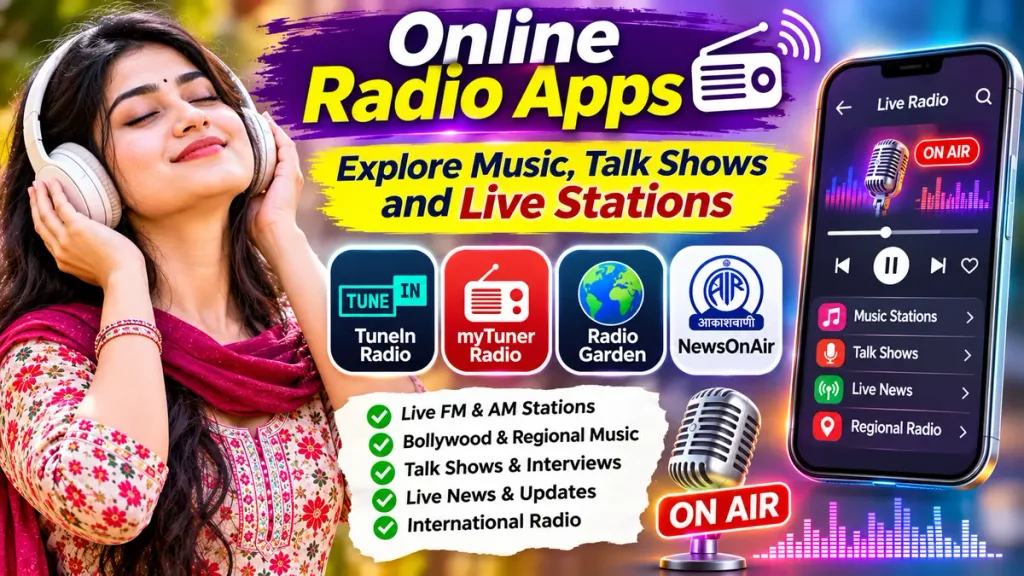
Whether you enjoy old Hindi songs, live news updates, regional music, or educational discussions, a Live FM Radio App can provide convenient entertainment. This guide explores popular online radio applications, important features, free listening options, and practical methods for discovering stations.
What Are Online Radio Apps?
Online Radio Apps are mobile applications that allow users to listen to radio broadcasts through an internet connection.
Unlike traditional FM radio receivers, internet radio applications stream available stations using Wi-Fi or mobile data.
Common features include:
- Live AM and FM radio streams.
- Bollywood and regional music.
- International radio stations.
- News and talk shows.
- Sports discussions.
- Podcast collections.
- Favourite station lists.
- Background audio playback.
Available stations depend on licensing agreements, geographical restrictions, and broadcaster participation.
How Do Internet Radio Apps Work?
Internet radio applications connect smartphones to online audio streams provided by broadcasters.
When users select a station, the application receives audio data through the internet and plays the live broadcast.
For example, someone living outside West Bengal may be able to listen to an available Bengali radio stream using a smartphone.
Similarly, listeners can explore international music stations without owning specialized radio equipment.
However, internet radio streaming generally requires an active connection.
Some smartphones also include traditional FM radio hardware, which operates differently from internet streaming applications.
Best Online Radio Apps for Android and iPhone
Several established platforms provide live radio, music, and talk-show listening.
1. TuneIn Radio – Live Music, News and Talk Shows
TuneIn is an internet radio platform offering live radio stations, podcasts, sports audio, and news programming.
Listeners can explore broadcasts from different countries and categories.
Important Features:
- Live radio stations.
- Music channels.
- News and talk shows.
- Sports discussions.
- Podcasts.
- Favourite station management.
- International radio discovery.
TuneIn provides free listening options, while certain exclusive content and additional features require Premium access.
Station availability may vary by country.
2. myTuner Radio – FM and Internet Radio
myTuner Radio is a digital radio platform offering live radio stations and podcasts from different countries.
Users can discover stations according to country, city, or music category.
Important Features:
- Live AM and FM streams.
- International stations.
- Music and news channels.
- Podcast discovery.
- Favourite station lists.
- Browser-based listening.
- Regional radio searches.
myTuner offers free listening supported by advertisements.
An optional Pro version provides additional features and removes application advertisements.
3. Radio Garden – Explore Radio Around the World
Radio Garden provides an interactive way to discover live radio stations from different locations.
Its globe-based interface allows listeners to select cities and explore available broadcasts.
Important Features:
- Interactive world map.
- Live radio stations.
- International music discovery.
- Local radio exploration.
- Favourite station saving.
- Background listening.
- Location-based browsing.
Radio Garden is useful for people interested in exploring different cultures through music and radio.
Its application includes advertisements and optional purchases.
4. NewsOnAir – Indian Radio and Regional Broadcasts
NewsOnAir is an official Prasar Bharati application offering radio, news, and entertainment programming from All India Radio.
Listeners can explore broadcasts in several Indian languages.
Important Features:
- All India Radio channels.
- Hindi and regional broadcasts.
- Live news programming.
- Music and cultural shows.
- Audio news bulletins.
- Public service content.
- Regional station discovery.
NewsOnAir is particularly useful for listeners interested in Indian public broadcasting and regional-language programmes.
Online Radio Apps Comparison Table
| Radio App | Main Features | Best For |
|---|---|---|
| TuneIn Radio | Music, news, sports, podcasts | International talk radio |
| myTuner Radio | FM streams, country searches | Live radio discovery |
| Radio Garden | Interactive globe, local stations | Exploring world radio |
| NewsOnAir | AIR stations, regional news | Indian radio broadcasts |
Note: Stations, subscriptions, advertisements, and application features may change.
Popular Types of Online Radio Stations
Internet radio applications provide access to different programming categories.
| Radio Category | Available Content |
|---|---|
| Bollywood Radio | Hindi movie songs |
| Bengali Radio | Bangla songs and regional programmes |
| Punjabi Radio | Punjabi music and discussions |
| Tamil Radio | Tamil songs and entertainment |
| Telugu Radio | Telugu music and programmes |
| News Radio | Current affairs and bulletins |
| Talk Radio | Interviews and discussions |
| International Radio | Global music and cultural shows |
Individual stations may offer different programming throughout the day.
How to Listen to Live Radio on Mobile
Follow these steps to explore internet radio using your smartphone.
Step 1: Choose a Trusted Application
Select a radio platform offering your preferred stations.
Step 2: Install the Application
Download the official application from a recognized app store.
Step 3: Open the Radio Player
Launch the app and complete registration if required.
Step 4: Search for Stations
Enter a city, station name, language, or music category.
Step 5: Select a Live Station
Choose an available broadcast from the results.
Step 6: Save Your Favourites
Add frequently played stations to your favourite list.
Step 7: Start Listening
Enjoy live radio using Wi-Fi or mobile data.
Benefits of Using Online Radio Apps
Explore Different Music Genres
Listeners can discover Bollywood songs, classical music, regional melodies, and international recordings.
Listen to Talk Shows
Selected stations provide interviews, discussions, and educational programmes.
Discover Regional Broadcasts
Internet radio can connect listeners with available stations broadcasting in their native languages.
Follow Live News
News radio stations provide scheduled bulletins and current-affairs programming.
Enjoy International Stations
Listeners can discover different music cultures and broadcasting styles.
Free Radio Apps vs Premium Features
| Feature | Free Listening | Premium Listening |
|---|---|---|
| Live Radio | Generally available | Available |
| App Advertisements | May be included | May be reduced |
| Favourite Stations | Often supported | Supported |
| Exclusive Content | May be restricted | Depends on plan |
| Monthly Payment | Usually unnecessary | May be required |
Premium subscriptions do not necessarily remove advertisements transmitted by individual radio broadcasters.
Do Online Radio Apps Work Without Internet?
Most internet radio applications require Wi-Fi or mobile data to receive live broadcasts.
Unlike traditional FM receivers, streaming apps cannot normally play live internet stations offline.
Some applications offer access to downloadable podcasts or recorded programmes.
However, downloading podcasts is different from receiving a live radio broadcast.
Listeners should check mobile data usage when streaming for extended periods.
Tips for Choosing the Best Online Radio App
Compare station availability before selecting an application.
Check whether your preferred language and local stations are supported.
Review advertisement policies and optional subscription charges.
Choose applications offering convenient station searches and favourites.
Use reliable Wi-Fi for uninterrupted listening.
Avoid unofficial applications requesting unnecessary permissions.
Frequently Asked Questions (FAQs)
1. Which is the best online radio app?
TuneIn, myTuner Radio, Radio Garden, and NewsOnAir offer useful listening options. The best choice depends on preferred stations.
2. Can I listen to FM radio online for free?
Yes. Many online radio applications provide free access to supported live broadcasts.
3. Can I listen to Bengali and Hindi radio stations?
Yes. Supported applications offer Bengali, Hindi, and other regional-language broadcasts.
4. Do online radio apps require internet?
Yes. Live internet radio streaming generally requires an active connection.
5. Can I listen to international radio stations?
Yes. Platforms such as Radio Garden and myTuner provide access to available international stations.
6. Are online radio apps completely advertisement-free?
Not always. Free applications may include advertisements, and radio broadcasters may also transmit commercial breaks.
Conclusion
Online Radio Apps make exploring music, live FM stations, news, and talk shows convenient through smartphones. These platforms provide opportunities to discover regional Indian broadcasts, international music, cultural programmes, and discussions from different locations.
TuneIn Radio, myTuner Radio, Radio Garden, and NewsOnAir offer different listening features. Choose a trusted application, explore your favourite stations, and enjoy available radio broadcasts according to your preferences.
Disclaimer
This article is provided for general educational and informational purposes only. Online radio application features, station availability, subscription prices, advertisements, regional access, and device compatibility may change without prior notice. All mentioned applications are independent services, and no commercial affiliation or endorsement is implied. Radio streams and programmes are subject to broadcaster permissions, copyright regulations, licensing agreements, and geographical restrictions. Some stations may become temporarily unavailable. Internet radio streaming generally requires an active connection and may consume mobile data. Readers should verify application features and service conditions before purchasing subscriptions. This article does not promote unauthorized broadcasting or illegal distribution of copyrighted audio content.