Skeleton Camera App – Can You Really See Bones on Your Phone? Discover the Surprising Truth!
Have you ever wondered whether a Skeleton Camera App can turn your smartphone into a powerful scanner that reveals the bones inside your body? Many Android users are fascinated by applications displaying realistic skeleton animations, glowing X-ray images, and virtual body scans. These unusual camera effects create curiosity because they appear to show something that ordinary smartphone cameras cannot normally capture.
The popularity of Skeleton Scanner Apps and X-Ray Camera Simulators has increased interest in mobile applications offering creative visual effects. Some apps display animated bones when users point their cameras toward their hands, arms, or other body parts. Others use artificial intelligence, digital overlays, and image filters to create interesting skeleton-style photographs.
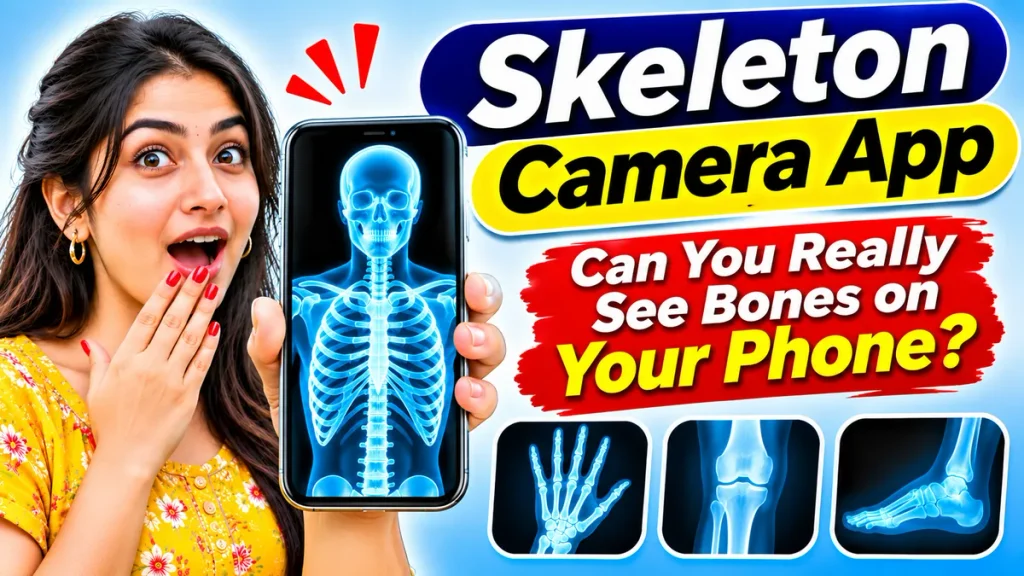
But can these applications actually see through human skin? This complete guide explains how Skeleton Camera Apps work, their features, Android compatibility, simulation technology, installation steps, safety considerations, and differences from real medical X-ray equipment.
What Is a Skeleton Camera App?
A Skeleton Camera App is generally an entertainment or photo-editing application designed to create the appearance of bones and skeletal structures using digital graphics.
These applications may use prerecorded skeleton illustrations, camera filters, animations, or artificial intelligence to simulate X-ray-style images.
Some applications allow users to select photographs and apply effects that make ordinary images resemble medical scans.
However, these applications cannot detect actual bones inside the human body using a standard smartphone camera.
Their primary purpose is entertainment, education, or creative image editing rather than medical examination.
Can a Skeleton Camera App Really See Bones?
The answer is no. Ordinary smartphone cameras cannot see through skin and muscles to reveal actual bones.
Smartphone cameras primarily capture visible light reflected from objects. Human skin and surrounding tissues prevent ordinary cameras from directly observing internal skeletal structures.
Real medical X-ray equipment uses specialized radiation-generating and detecting components to create images of internal anatomy.
A mobile application cannot reproduce this capability simply by installing additional software.
Therefore, the skeleton images displayed by most entertainment applications are simulated graphics rather than genuine medical scans.
Skeleton Camera App – Important Information
| Feature | Details |
|---|---|
| Application Category | Entertainment and Camera Simulation |
| Common Platform | Android Smartphones |
| Primary Function | Skeleton and X-Ray Effects |
| Camera Access | Available in Selected Apps |
| Skeleton Animations | Depends on Application |
| Photo Editing | Supported by Some Apps |
| Artificial Intelligence | Available in Certain Applications |
| Real Bone Detection | Not Possible with Standard Cameras |
| Medical Diagnosis | Not Supported |
| Download Charges | Free or Paid, Depending on App |
| Internet Requirement | Depends on Application Features |
Different applications offer different features, so users should review their descriptions before downloading.
Popular Features of Skeleton Camera Apps
1. Skeleton Scanner Effects
Many applications display illustrated bones over camera previews or photographs.
These graphics create an entertaining impression of looking beneath the skin.
2. X-Ray Camera Filters
Selected apps provide blue, black, white, or negative-style effects that resemble traditional medical X-ray photographs.
Users can apply these filters to compatible images.
3. Hand Skeleton Simulation
Some applications simulate the bones of a hand or fingers.
When users position their hands near the camera, the application may display prepared skeletal illustrations.
4. Full Body Skeleton Animations
Certain applications include animated human skeletons that move or change position.
These animations are created digitally and do not represent actual internal body scans.
5. AI-Based Visual Effects
Some modern photo-editing applications use artificial intelligence to estimate body outlines or create skeleton-style images.
These effects can appear realistic without revealing genuine anatomy.
How Does a Skeleton Scanner App Work?
Most Skeleton Scanner Apps combine camera previews with digital illustrations.
When users open the scanner feature, the application may activate the smartphone camera or display a selected photograph.
The software then places skeleton graphics, simulated X-ray images, or animated overlays on the screen.
Some applications use body-position detection to align graphics with the person’s movements.
Artificial intelligence may also generate illustrations based on visual patterns.
However, none of these methods allows an ordinary camera to detect actual internal bones.
The resulting images are visual simulations created by software.
How to Download and Use a Skeleton Camera App on Android – Step-by-Step Guide
Follow these steps to explore skeleton camera effects safely.
Step 1: Open a Trusted Application Store
Open the official application marketplace available on your Android smartphone.
Avoid unfamiliar websites offering modified or unofficial installation files.
Step 2: Search for Skeleton Camera Apps
Enter search terms such as Skeleton Camera App, Skeleton Scanner Simulator, or X-Ray Camera Effects.
Review the displayed applications.
Step 3: Read the Application Description
Check whether the developer explains that the application offers entertainment effects or simulated scanning.
Avoid applications claiming to provide real medical examinations through ordinary cameras.
Step 4: Check Reviews and Permissions
Examine user feedback, developer information, privacy disclosures, and requested permissions.
Be cautious when an entertainment application requests unnecessary access to personal information.
Step 5: Install Your Selected Application
Choose a suitable application and complete the installation process.
Open it after installation.
Step 6: Select a Skeleton Effect
Explore the available features, such as hand skeleton simulation, photo filters, or animated body graphics.
Available features depend on the application.
Step 7: Use the Camera or Photo Editor
Allow camera access only when necessary.
Position your hand or select a suitable photograph according to the application’s instructions.
Step 8: View and Save the Effect
Preview the simulated skeleton image.
If supported, save your edited photograph for personal entertainment or creative projects.
Remember that the generated image is not medical evidence.
Skeleton Camera App vs Real X-Ray Machine
Understanding the difference between simulated effects and medical imaging is essential.
| Feature | Skeleton Camera App | Medical X-Ray Machine |
|---|---|---|
| Main Purpose | Entertainment | Medical Imaging |
| Imaging Technology | Digital Effects | X-Ray Radiation |
| Actual Bone Detection | No | Yes |
| Required Equipment | Compatible Smartphone | Specialized Medical Equipment |
| Medical Diagnosis | Not Suitable | Used in Clinical Assessment |
| Output | Simulated Skeleton Graphics | Actual Radiographic Images |
| Professional Supervision | Generally Not Required | Required as Appropriate |
Only qualified medical professionals using suitable equipment can evaluate genuine diagnostic images.
Are Skeleton Camera Apps Safe?
Skeleton simulation applications do not create medical X-ray radiation using ordinary smartphone cameras.
However, their privacy practices, permissions, advertisements, and payment arrangements deserve attention.
Users should avoid applications requesting unrelated permissions or promising impossible scanning capabilities.
Do not upload sensitive photographs without understanding the developer’s privacy practices.
Never rely on simulated skeleton images to determine whether a bone is fractured or whether a medical condition exists.
If you experience pain, swelling, or a suspected injury, seek appropriate medical assessment.
Can AI Make Skeleton Camera Apps More Realistic?
Artificial intelligence can improve the appearance of simulated skeleton images.
AI-powered software may estimate body positions, identify visible shapes, and produce detailed skeletal illustrations.
Some applications can even generate animations that appear to follow a person’s movements.
Although these features can create convincing visual experiences, they cannot reveal actual internal anatomy from ordinary photographs.
AI-generated effects should therefore be treated as illustrations rather than diagnostic results.
Common Mistakes When Using Skeleton Scanner Apps
Users sometimes assume that realistic-looking skeleton images are genuine scans.
This misunderstanding can lead to incorrect conclusions about the application’s capabilities.
Another common mistake is downloading unfamiliar applications without checking permissions or developer information.
Some people also confuse entertainment skeleton effects with educational anatomy applications.
Anatomy apps may contain scientifically developed 3D models, but they do not scan an individual’s body.
Understanding each application’s intended purpose helps prevent confusion.
Frequently Asked Questions (FAQ)
1. Can a Skeleton Camera App really detect bones?
No. Ordinary smartphone cameras cannot detect actual bones inside the human body. Most skeleton camera applications create simulated visual effects.
2. Are Skeleton Camera Apps available for Android?
Yes. Android users can find applications offering skeleton animations, camera filters, and X-ray-style simulations.
3. Can I download a Skeleton Camera App for free?
Some applications offer free features, while others may include advertisements, subscriptions, or paid editing tools.
4. Can Skeleton Scanner Apps see through skin?
No. These applications cannot see through skin or muscles. They use artificial illustrations and digital effects.
5. Are Skeleton Camera Apps safe for children?
Entertainment apps may be suitable when their content, privacy practices, advertisements, and permissions are appropriate for the user’s age.
6. Can AI Skeleton Camera Apps identify fractures?
No. AI-generated skeleton effects from ordinary smartphone photographs cannot reliably diagnose bone fractures or internal injuries.
7. What is the difference between a Skeleton Camera App and an X-Ray Scanner App?
Both terms commonly describe entertainment applications that create artificial bone or X-ray-style visual effects. Their exact features vary by developer.
Conclusion
A Skeleton Camera App for Android can provide entertaining camera effects, realistic-looking bone illustrations, and creative photo-editing experiences. These applications can be interesting for users who enjoy experimenting with visual technology.
However, ordinary smartphones cannot perform genuine X-ray examinations or reveal the actual bones inside the human body. Skeleton simulations rely on digital graphics, artificial intelligence, and prepared animations rather than medical imaging technology.
Before downloading a Skeleton Scanner App, review its features, permissions, privacy practices, and developer information. Enjoy the simulated effects for entertainment, but always depend on qualified medical professionals and appropriate diagnostic equipment for genuine health concerns.