Sleep Sound Apps – Explore Rain Sounds, Nature Audio and Gentle Music
Getting comfortable before bedtime can sometimes feel difficult after a busy day. Traffic noise, stressful thoughts, and irregular routines may make it harder to relax. Sleep Sound Apps offer convenient access to rain recordings, peaceful nature sounds, gentle instrumental music, and calming background audio through smartphones.
Many people enjoy listening to rainfall, ocean waves, forest ambience, or soft piano music while preparing for sleep. These sounds can help create a pleasant listening environment and may mask distracting background noise. Modern applications also provide adjustable volumes, sound mixing, sleep timers, and selected offline playback features.
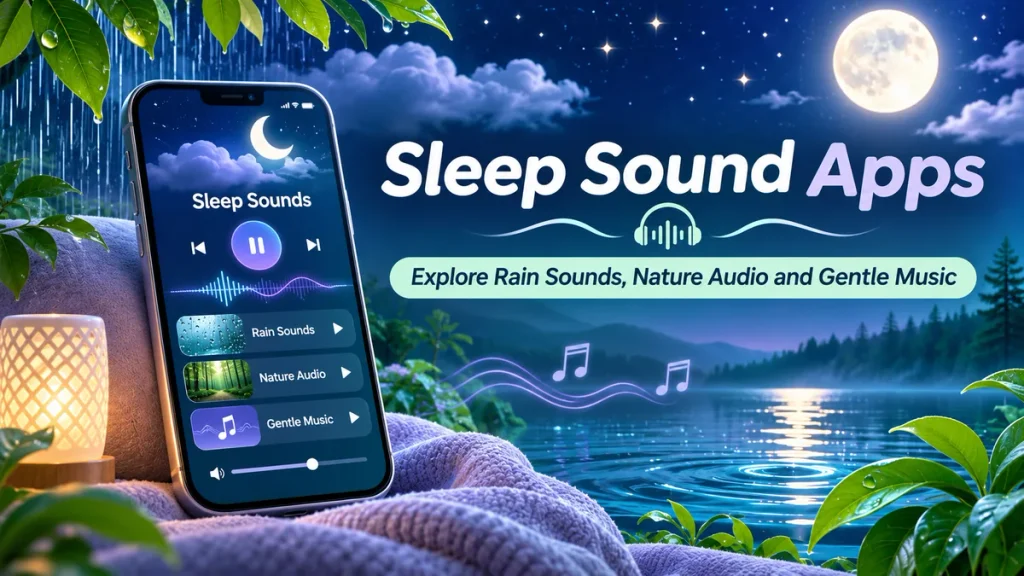
Whether you prefer thunderstorms, flowing rivers, birdsong, or relaxing melodies, a Relaxing Sleep Sounds App can help you explore different audio experiences. This guide explains popular applications, available features, sound categories, and practical ways to develop a comfortable nighttime listening routine.
What Are Sleep Sound Apps?
Sleep sound apps are digital audio applications offering recordings designed for relaxation, quiet listening, and bedtime routines.
They provide different types of environmental sounds, instrumental music, and background noise.
Common features include:
- Rain and thunderstorm sounds.
- Ocean waves and flowing water.
- Forest and nature ambience.
- Gentle piano music.
- White noise and brown noise.
- Personalized sound mixing.
- Adjustable playback volume.
- Sleep timers.
- Offline listening where supported.
Available features depend on the application, device, and subscription plan.
How Do Sleep Sound Apps Work?
Sleep sound applications play recorded or digitally generated audio through smartphones, headphones, or compatible speakers.
Users choose an available sound and adjust playback settings.
Some applications allow several sounds to play together.
For example, a listener may combine gentle rainfall with distant thunder and soft wind.
Sleep timers can automatically stop playback after a selected period.
However, these applications are relaxation tools rather than medical treatments. Individual responses vary, and no particular sound guarantees better sleep.
Best Sleep Sound Apps for Android and iPhone
Several platforms provide relaxing audio and bedtime listening features.
1. BetterSleep – Rain Sounds and Relaxing Music
BetterSleep offers nature recordings, relaxing music, guided content, and customizable audio mixes.
Users can combine different sound effects to create personalized listening experiences.
Important Features:
- Rainfall and thunderstorm sounds.
- Ocean and nature recordings.
- Relaxing instrumental music.
- Custom sound combinations.
- Sleep timer.
- Guided relaxation content.
- Selected offline features.
BetterSleep is useful for listeners who enjoy creating their own sound combinations.
Some features are free, while additional content and advanced options may require premium access.
2. Calm – Sleep Music and Nature Soundscapes
Calm is a meditation and relaxation application offering sleep stories, music, guided exercises, and ambient audio.
Its soundscape library includes different environmental recordings.
Important Features:
- Rain and ocean sounds.
- Gentle sleep music.
- Nature soundscapes.
- Sleep stories.
- Guided meditation.
- Background audio options.
- Offline downloads for eligible content.
Calm is suitable for users interested in combining relaxing sounds with guided listening.
Access to particular recordings depends on the selected subscription.
3. Sleep Jar – Nature Sounds and White Noise
Sleep Jar provides environmental audio designed for relaxation, bedtime listening, and focus.
Its catalogue includes common nature sounds and background noise.
Important Features:
- Rain and thunder sounds.
- Ocean waves.
- Forest ambience.
- Fireplace recordings.
- Fan sounds.
- White and brown noise.
- Different environmental soundscapes.
Sleep Jar is useful for people who prefer familiar environmental recordings.
Available features and premium options vary by device.
Sleep Sound Apps Comparison Table
| Sleep Sound App | Main Features | Best For |
|---|---|---|
| BetterSleep | Custom audio mixing, rain sounds, timers | Personalized sound combinations |
| Calm | Nature soundscapes, sleep music, stories | Guided bedtime listening |
| Sleep Jar | Rain, ocean, fan and noise recordings | Environmental sounds |
Note: Application features, subscriptions, and offline availability may change.
Popular Sleep Sounds to Explore
Different sounds create different listening environments.
| Sound Category | Listening Experience |
|---|---|
| Rain Sounds | Gentle or steady rainfall |
| Thunderstorms | Rain with distant thunder |
| Ocean Waves | Repeated coastal wave sounds |
| Forest Sounds | Birds, leaves and woodland ambience |
| River Sounds | Flowing water recordings |
| Piano Music | Soft instrumental melodies |
| White Noise | Continuous broadband noise |
| Brown Noise | Lower-frequency weighted noise |
Personal preference is important when selecting relaxing audio.
How to Use Sleep Sound Apps on Mobile
Follow these steps to explore calming audio before bedtime.
Step 1: Choose a Trusted Application
Select a sleep sound app supporting your smartphone.
Step 2: Install the App
Download the official application from a recognized app store.
Step 3: Explore Sound Categories
Browse rain, nature, music, or background noise recordings.
Step 4: Select Your Preferred Sound
Choose audio that feels comfortable rather than distracting.
Step 5: Adjust the Volume
Keep playback at a low, comfortable level.
Step 6: Set a Sleep Timer
Choose a suitable duration so playback stops automatically.
Step 7: Prepare Your Bedroom
Reduce unnecessary light and other distractions.
Step 8: Begin Listening
Play the selected recording while following your normal bedtime routine.
Free Sleep Sound Apps vs Premium Features
| Feature | Free Access | Premium Access |
|---|---|---|
| Nature Sounds | Selected recordings | Expanded collections |
| Rain Sounds | Often available | Additional variations |
| Gentle Music | Limited selection | Broader collections |
| Sound Mixing | May be limited | More options |
| Offline Downloads | App-dependent | Often supported |
| Subscription Payment | Not required | May be required |
Exact differences depend on the platform.
Benefits of Using Relaxing Sound Apps
Create a Comfortable Environment
Gentle audio may make the bedroom feel more peaceful.
Mask Background Noise
Continuous sounds can reduce the noticeable contrast of some environmental noises.
Explore Different Relaxation Options
Listeners can experiment with rainfall, wind, water, and instrumental music.
Personalize Bedtime Listening
Sound mixing and timers make audio experiences more flexible.
Support a Consistent Routine
Using familiar relaxing audio may become part of a regular bedtime habit.
These benefits are subjective, and scientific evidence for improving sleep varies.
Tips for a Better Bedtime Routine
Maintain reasonably consistent sleeping and waking times.
Keep your bedroom dark, quiet, and comfortable.
Avoid unnecessarily loud audio.
Reduce stimulating activities before bedtime.
Limit caffeine close to your usual sleeping time.
Use a sleep timer instead of automatically playing audio throughout the night.
Avoid sleeping with uncomfortable headphones or devices that interfere with safe movement.
If persistent sleep difficulties occur, consult a qualified healthcare professional.
Frequently Asked Questions (FAQs)
1. Which is the best sleep sound app?
BetterSleep, Calm, and Sleep Jar offer different relaxing audio features. The best choice depends on listening preferences.
2. Can rain sounds help people relax?
Some people find rainfall recordings calming, although individual responses vary.
3. Are sleep sound apps free?
Several platforms offer free sounds, while additional recordings or features may require payment.
4. Can I listen to nature sounds without internet?
Some applications support offline playback or downloads. Availability depends on the platform.
5. Is white noise better than gentle music?
Neither option is universally better. Preferences and responses differ between listeners.
6. Do sleep sound apps cure insomnia?
No. Sleep sound apps are not proven cures for insomnia or other sleep disorders.
Conclusion
Sleep Sound Apps provide convenient ways to explore rain sounds, nature audio, gentle music, and relaxing background recordings through smartphones. Features such as adjustable volume, personalized sound mixing, and sleep timers allow users to create comfortable listening experiences.
BetterSleep, Calm, and Sleep Jar offer different audio collections and features. Choose a trusted application, experiment with suitable sounds, and maintain healthy bedtime habits. Seek professional guidance if sleep problems persist.
Disclaimer
This article is provided for general educational and informational purposes only and does not constitute medical advice, diagnosis, or treatment. Sleep sound applications, rain recordings, nature audio, and relaxing music do not guarantee improved sleep or treatment of insomnia. Individual responses may vary, and excessive sound volume may be harmful. Application features, subscriptions, free access, and offline listening options may change without notice. Readers should follow safe listening practices and consult qualified healthcare professionals for persistent sleep difficulties, daytime sleepiness, or suspected sleep disorders. No mentioned application is endorsed or affiliated with this publication.