Turn Your Favorite Music into a Phone Ringtone – Discover Easy Ringtone Maker Apps
Have you ever heard your favorite song and wished you could make it your phone ringtone? Instead of listening to the same default ringtone every time someone calls, imagine hearing your favorite music, romantic melody, Bollywood instrumental, or energetic beat whenever your smartphone rings. With modern ringtone maker apps, creating a personalized ringtone has become easier than ever.
Today, millions of smartphone users enjoy customizing their devices with unique sounds. Whether you own an Android phone or an iPhone, you can explore different ways to turn your favorite music into a phone ringtone. Many ringtone maker apps offer useful features such as audio trimming, music cutting, sound editing, and ringtone customization. Some applications even allow users to create notification sounds and alarm tones from compatible audio files.
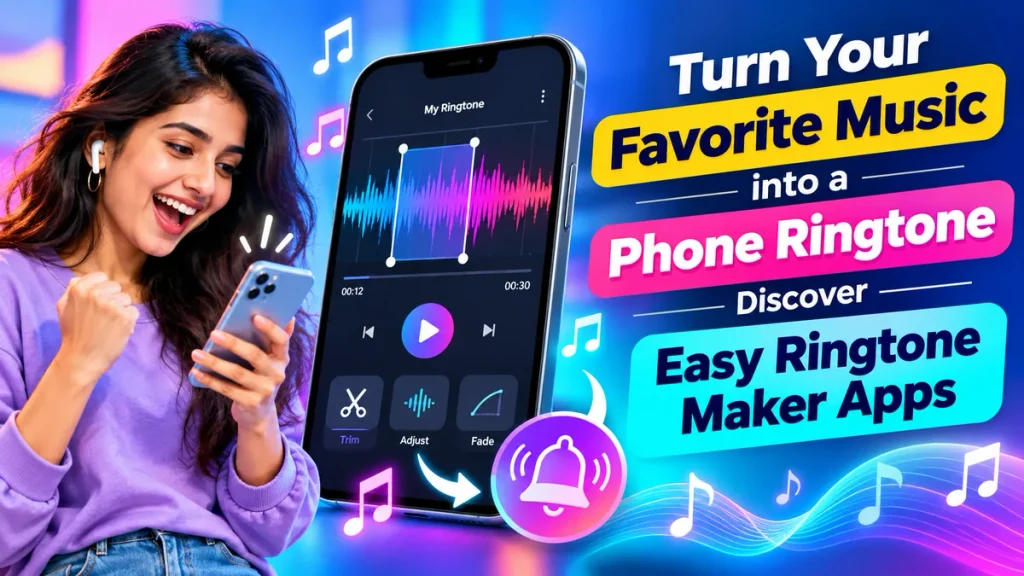
If you are searching for the best ringtone maker apps, free ringtone maker for Android, MP3 ringtone cutter, or custom ringtone creation tools, this guide will help you understand how these applications work, which features matter, and how to create attractive mobile ringtones without complicated editing skills.
What Is a Ringtone Maker App?
A ringtone maker app is a mobile application designed to help users create personalized phone ringtones from audio files.
Instead of selecting only preinstalled phone sounds, users can choose suitable music files, trim their favorite sections, and save the edited audio as a custom ringtone.
Most ringtone editing applications offer a simple interface where users can select audio, adjust the starting and ending points, preview the sound, and export the finished ringtone.
Depending on the application, additional features may include:
- MP3 audio cutting and trimming
- Custom ringtone creation
- Volume and audio adjustments
- Fade-in and fade-out effects
- Notification sound customization
- Alarm tone creation
- Audio recording and editing
- Contact-specific ringtone selection
These features make ringtone maker apps useful for people who want greater control over their smartphone sounds.
Why Create Your Own Mobile Ringtone?
Personalized ringtones allow you to express your musical preferences while making everyday phone calls more enjoyable.
Imagine setting a relaxing guitar melody for family calls, an energetic instrumental for friends, or a simple professional tone for business contacts.
Here are some reasons people enjoy custom ringtones:
Personalization: Make your smartphone sound different from other devices.
Favorite Music: Use a suitable portion of a song or audio recording you enjoy.
Easy Recognition: Identify your phone when several smartphones are ringing nearby.
Creative Freedom: Experiment with different sounds, audio clips, and effects.
Contact Customization: Assign different ringtones to important callers on supported devices.
Creating your own ringtone can also be an entertaining way to explore basic audio editing without professional software.
Popular Ringtone Maker Apps to Explore
Several mobile applications and tools offer ringtone creation features. Their compatibility, pricing, and available functions may vary.
1. MP3 Cutter and Ringtone Maker Apps
MP3 cutter applications are popular among Android users who want to create personalized ringtones from locally stored audio.
These tools typically allow users to select a music file, trim a desired section, preview it, and save the edited audio.
Some apps also support creating alarm tones and notification sounds.
2. GarageBand for iPhone
GarageBand is an Apple music creation application that can also be used to create custom iPhone ringtones.
Users can import compatible audio files, edit the desired section, and export the result as a ringtone.
This option is especially useful for iPhone owners who prefer using Apple’s own audio editing tools.
3. Zedge
Zedge is known for offering ringtone collections, notification sounds, and smartphone personalization content.
It is useful for discovering ready-made ringtones rather than functioning primarily as a full-featured audio editor.
Some sounds are free, while other content may require payment or additional access.
4. Audio Editing Applications
General audio editing apps may include trimming, cutting, merging, and volume adjustment tools.
These can be useful for users who want additional editing control before setting an audio clip as their ringtone.
Ringtone Maker Apps – Features Comparison Table
| App or Tool Type | Main Features | Suitable For |
|---|---|---|
| MP3 Cutter Apps | Cut and trim music files | Android users |
| Ringtone Maker Apps | Create personalized call tones | Custom ringtones |
| GarageBand | Audio editing and ringtone export | iPhone users |
| Zedge | Browse ringtone collections | Ready-made sounds |
| Audio Editor Apps | Trim, merge, and adjust audio | Advanced customization |
| Built-in Phone Settings | Select saved ringtone files | Quick ringtone setup |
The best option depends on your smartphone, preferred editing features, and whether you want to create a new sound or download an existing ringtone.
How to Turn Your Favorite Music into a Phone Ringtone
Creating a ringtone from a music file is usually simple when you have a compatible audio editor.
Follow these steps:
- Choose Your Music: Select a locally stored audio file that you are permitted to edit.
- Open a Ringtone Maker: Install a suitable application from a trusted app store.
- Import the Audio: Select the music file from your phone’s storage.
- Trim the Music: Choose a recognizable section, preferably around 15–30 seconds.
- Preview the Ringtone: Listen to the edited section before saving.
- Save the Audio: Export your ringtone in a format supported by your smartphone.
- Set Your Ringtone: Open your phone’s ringtone settings and select your new sound.
The exact process varies by application, but these steps apply to many mobile ringtone editing tools.
How to Set a Custom Ringtone on Android
Android smartphones generally provide flexible ringtone customization options.
After creating your ringtone, open Settings, select Sound & Vibration, and locate the Phone Ringtone option. Choose your saved audio file if supported.
Some Android devices also let you place an MP3 file inside the Ringtones folder so it appears among the available sounds.
Google’s Files app supports setting compatible audio files as ringtones on supported Android devices.
Android Help
Files by Google Help
How to Make a Custom Ringtone on iPhone
iPhone users can create ringtones using GarageBand or supported built-in file-sharing options.
With GarageBand, import an eligible audio file, trim the required section, and export it as a ringtone. Apple supports ringtone clips of up to 30 seconds through GarageBand.
Protected music files cannot be used directly for this purpose.
Apple Support (IN)
On compatible recent iOS versions, users may also find a Use as Ringtone option when sharing supported short audio files.
here’s how to do it
Tips for Creating an Amazing Music Ringtone
Choosing the right portion of a song makes a significant difference.
Try selecting a memorable instrumental section, chorus, or musical introduction that becomes recognizable immediately.
Avoid long silent introductions because you might miss incoming calls before the music starts.
For better results, keep the audio clear, avoid excessive volume, and use gentle fade effects when available.
If you use your smartphone in professional settings, consider creating a second, quieter ringtone for work-related calls.
Are Free Ringtone Maker Apps Safe?
Many legitimate ringtone maker applications are available, but users should download carefully.
Choose reputable applications, check recent reviews, and examine requested permissions.
A basic ringtone cutter should not normally need access to unrelated personal information such as messages or precise location.
Also, remember that songs from music streaming services may be protected by copyright or digital rights management. A streaming subscription does not automatically permit exporting songs as ringtone files.
Use audio you own, created yourself, or have permission to edit.
Frequently Asked Questions (FAQ)
1. Can I turn my favorite song into a phone ringtone?
Yes. You can use a compatible ringtone maker application to trim an audio file and save it as a ringtone, provided you have permission to use the recording.
2. Which app is best for making custom ringtones?
The best application depends on your device. Android users can explore MP3 cutter and ringtone maker apps, while iPhone users can use GarageBand.
3. Are ringtone maker apps free?
Many ringtone maker applications offer free basic editing features. Some include advertisements, premium subscriptions, or paid tools.
4. Can I create a ringtone without a computer?
Yes. Many Android smartphones and iPhones support ringtone creation or customization directly on the mobile device.
5. How long should a custom ringtone be?
A ringtone around 15–30 seconds is usually practical. GarageBand exports iPhone ringtones with a maximum duration of 30 seconds.
6. Can I use an MP3 file as my ringtone?
Many Android phones support MP3 ringtones. On iPhones, compatible audio may need to be exported or assigned using supported ringtone features.
7. Can I make different ringtones for different contacts?
Yes. Many smartphones allow users to assign separate ringtone sounds to individual contacts through the Contacts application.
8. Do ringtone maker apps work without the internet?
Many ringtone editing applications can process locally stored audio without internet access, although downloads, advertisements, and certain app features may require a connection.
9. Can I make notification and alarm sounds?
Yes. Some ringtone maker applications also support creating customized notification alerts and alarm sounds, depending on the smartphone and application.
10. Why is my custom ringtone not appearing?
Possible reasons include an unsupported audio format, an incorrect storage location, or an incomplete export. Check your phone’s ringtone settings and try saving the audio again.
Conclusion
Turning your favorite music into a phone ringtone is an easy way to personalize your smartphone. With ringtone maker apps, MP3 cutter tools, and built-in customization features, you can create unique sounds without advanced audio editing knowledge.
Whether you enjoy Bollywood melodies, romantic instrumentals, energetic music, or peaceful sounds, a custom ringtone can make every incoming call more enjoyable.
Choose a trustworthy application, select an audio file you are authorized to use, trim your favorite section, and customize your smartphone in just a few simple steps.
Ready to give your phone a new sound? Discover easy ringtone maker apps and transform your favorite music into a personalized mobile ringtone today!