X-Ray Camera App – Can Your Phone Really See Inside the Human Body? Discover the Surprising Truth!
Have you ever wondered whether an X-Ray Camera App can turn your smartphone into a powerful scanner capable of seeing bones, muscles, or objects hidden beneath the skin? Many mobile applications advertise impressive X-ray effects that appear to reveal the internal structure of the human body. These fascinating visuals often attract smartphone users who want to explore unusual camera features.
With the growing popularity of X-Ray Scanner Apps for Android, people are increasingly curious about how these applications work. Some apps display skeleton animations, simulated hand scans, and artificial X-ray images that look surprisingly realistic. However, there is an important difference between an entertaining visual effect and genuine medical imaging technology.
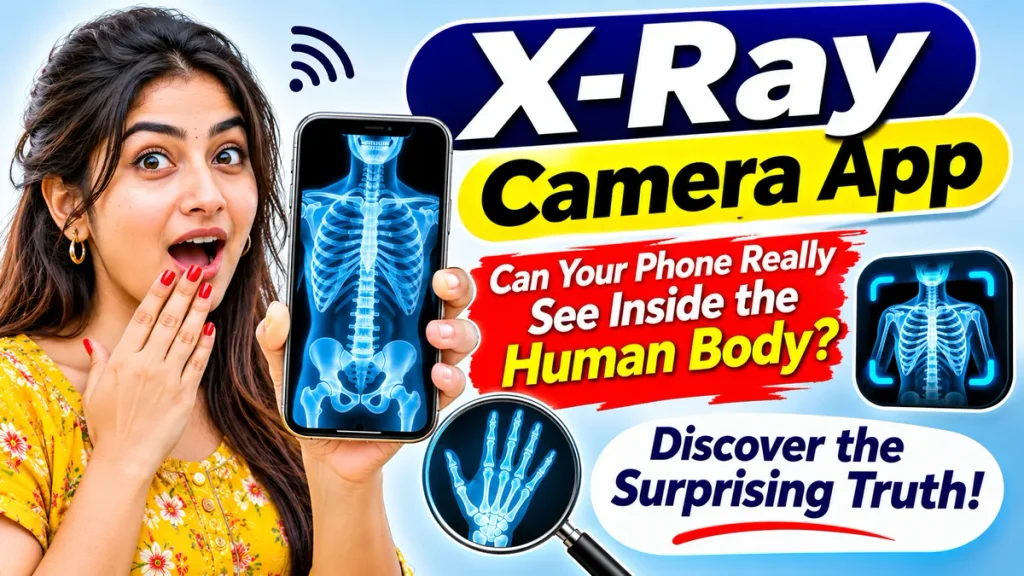
This complete guide explains X-Ray Camera Apps, X-Ray Scanner simulators, Android compatibility, app features, download precautions, privacy considerations, and the truth about mobile X-ray technology. Understanding these differences can help you choose suitable applications without believing misleading claims.
What Is an X-Ray Camera App?
An X-Ray Camera App is generally a mobile application designed to simulate the appearance of X-ray imaging through digital effects, animations, or previously prepared images.
These applications commonly use smartphone cameras, artificial intelligence, image filters, or animated overlays to create entertaining scanning experiences.
Some apps allow users to select body parts, display virtual skeleton images, or apply X-ray-style effects to photographs.
However, ordinary smartphone cameras cannot produce genuine medical X-ray images. Most consumer applications advertised as X-ray scanners are intended for entertainment rather than medical diagnosis.
Can Your Phone Really See Inside the Human Body?
The answer is no. A standard smartphone camera cannot see through human skin to reveal bones or internal organs.
Medical X-ray machines use specialized equipment capable of generating and detecting X-ray radiation. This technology produces images based on how different tissues absorb radiation.
Smartphone cameras, however, are designed primarily to capture visible light.
Although advanced image-processing software can create realistic illustrations, these images do not represent actual scans of the person’s internal anatomy.
Therefore, an application claiming to provide genuine medical X-rays using only a regular smartphone camera should be treated cautiously.
X-Ray Camera App – Important Information
| Feature | Details |
|---|---|
| Application Category | Camera Simulation and Entertainment |
| Common Platform | Android and Other Supported Devices |
| Main Function | Simulated X-Ray Visual Effects |
| Camera Support | Available in Selected Apps |
| Skeleton Effects | Depends on Application |
| Photo Editing | Available in Some Apps |
| Real Bone Detection | Not Supported by Ordinary Smartphones |
| Medical Diagnosis | Not Suitable |
| Internet Requirement | Depends on App Features |
| Application Charges | Free or Paid, Depending on Developer |
Features and compatibility vary between applications.
Popular Features of X-Ray Camera Simulator Apps
Different X-Ray Camera Simulator applications provide different entertainment features.
1. Skeleton Simulation Effects
Some applications display animated skeleton graphics that appear over a selected body part.
These graphics are illustrations rather than scans of actual bones.
2. X-Ray Photo Filters
Certain applications transform ordinary photographs into black-and-white or negative-style images resembling traditional X-ray photographs.
3. Hand Scanner Simulation
Hand scanner applications may display an artificial skeleton image when users position their hands near the camera.
The displayed bones are simulated graphics.
4. Body Scanner Animations
Some entertainment applications include animated scanning effects for different body areas.
These effects do not reveal internal organs.
5. Image Editing Tools
Selected apps offer brightness, contrast, transparency, and color adjustments to create different visual effects.
How Does an X-Ray Scanner App Work?
Most X-Ray Scanner Apps operate using visual simulation technology.
When a user opens the application, the software may display a camera preview or allow an existing photograph to be selected.
The application then adds prepared graphics, digital filters, or artificial overlays.
Some apps use image recognition to estimate body position and place skeleton illustrations accordingly.
Even when the graphics move with the user’s body, the application is not detecting actual internal anatomy.
The final result is a digitally generated effect rather than a genuine medical scan.
How to Use an X-Ray Camera App on Android – Step-by-Step Guide
If you want to experiment with an X-ray simulation application, follow these general steps.
Step 1: Open a Trusted App Store
Open the official application marketplace available on your Android smartphone.
Avoid unfamiliar websites offering modified application files.
Step 2: Search for X-Ray Camera Simulator
Enter relevant search terms such as X-Ray Camera Simulator or X-Ray Scanner Simulation.
Review the available applications carefully.
Step 3: Read the App Description
Check whether the developer clearly explains that the application provides simulated effects.
Avoid apps making unsupported medical claims.
Step 4: Check Permissions and Reviews
Examine requested permissions, user feedback, developer information, and privacy disclosures.
A simple entertainment application should not require unnecessary access to sensitive personal information.
Step 5: Install the Selected Application
Choose a suitable application and complete the installation process.
Step 6: Open the Scanner Feature
Launch the application and select an available simulation mode.
Step 7: Try the Visual Effects
Use the supported camera preview or photograph editing features to explore simulated X-ray images.
Step 8: Save Your Creation
If supported, save the edited photograph or animation for personal entertainment.
Remember that the image is artificial and cannot identify injuries or medical conditions.
X-Ray Camera App vs Real Medical X-Ray
Understanding the differences between mobile simulations and actual medical equipment is important.
| Feature | X-Ray Simulator App | Medical X-Ray Equipment |
|---|---|---|
| Main Purpose | Entertainment | Medical Imaging |
| Imaging Method | Digital Graphics | X-Ray Radiation |
| Real Bone Imaging | No | Yes |
| Diagnostic Use | No | Used by Qualified Professionals |
| Specialized Equipment | Usually Not Required | Required |
| Medical Reliability | Not Suitable | Depends on Clinical Evaluation |
Medical imaging should always be performed using appropriate equipment under qualified professional supervision.
Are X-Ray Camera Apps Safe to Use?
Simulation apps are generally not sources of X-ray radiation because ordinary smartphone cameras do not generate medical X-rays.
However, application privacy and security deserve attention.
Some apps may request camera, photo storage, or internet permissions. Others may display advertisements or offer paid features.
Always examine permissions before installation, avoid sharing sensitive photographs unnecessarily, and choose applications from reputable developers.
Never use simulated scanning results to make decisions about injuries, broken bones, or other health concerns.
Can AI Make Mobile X-Ray Effects More Realistic?
Artificial intelligence can enhance visual effects by identifying body outlines, estimating positions, and generating skeleton-style illustrations.
These technologies can make entertainment applications appear more convincing.
However, AI-generated anatomy does not reveal what is actually inside someone’s body.
An impressive-looking artificial scan should never be mistaken for reliable medical evidence.
Common Misunderstandings About X-Ray Camera Apps
Many users believe that downloading a scanner application can activate hidden X-ray capabilities within their smartphones.
This is incorrect.
Others assume that realistic skeleton graphics indicate genuine bone detection. In reality, such images are often prerecorded illustrations or software-generated effects.
Some misleading applications may also suggest that their cameras can detect objects beneath clothing or skin.
Or