X-Ray Cartoon Camera App – Turn Ordinary Photos into Skeleton Cartoons
Have you ever wanted to turn a normal photo into something funny, creative, and eye-catching? An X-Ray Cartoon Camera App is one of those interesting mobile tools that can transform ordinary images into skeleton-style cartoons, glowing bone effects, and playful X-ray-inspired artwork. These apps are becoming popular among Android users who enjoy photo editing, cartoon filters, and unique visual effects.
Many people download these apps because they look entertaining and easy to use. Some apps create cartoon skeleton overlays, some offer blue X-ray-style filters, and others use artificial intelligence to generate a fun “inside-the-body” look. The effects can look impressive, especially when used on selfies, hand photos, or full-body pictures.
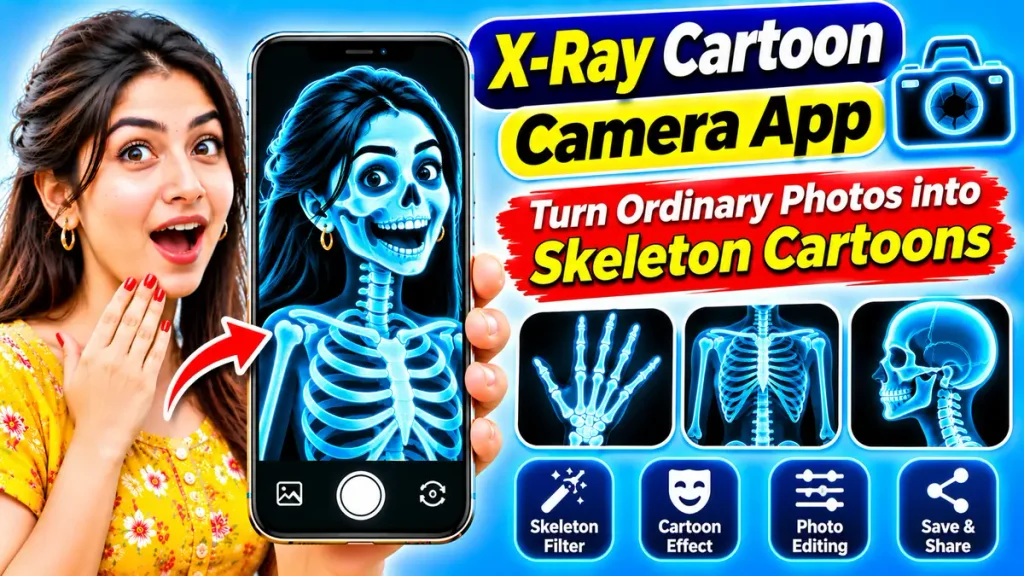
But an important question remains: can an X-Ray Cartoon Camera App really scan your body or show your bones? This blog explains the truth behind these apps, how they work, their features, how to use them, and what to keep in mind before downloading one.
What Is an X-Ray Cartoon Camera App?
An X-Ray Cartoon Camera App is a mobile photo-editing or entertainment app that turns normal photos into cartoon-style X-ray effects. These apps are not medical tools. Instead, they use digital filters, animated skeleton graphics, and visual editing features to create the illusion of seeing bones or internal body structures.
Some apps focus on cartoon skeleton art, while others combine X-ray-style blue effects with comic-style design. The result is often a playful and dramatic image that looks like a mix of a cartoon drawing and a virtual X-ray.
These apps are mostly used for:
- Fun photo editing
- Social media content
- Creative profile pictures
- Entertainment and prank effects
- Artistic image transformation
Can an X-Ray Cartoon Camera App Really Show Bones?
The answer is no. A regular smartphone camera cannot actually see through the body or detect real bones.
Medical X-rays require specialized machines that use controlled X-ray radiation and professional imaging technology. A mobile phone camera only captures visible light. So even if the app shows a skeleton image, it is only a generated effect, overlay, or animation.
That means these apps are:
- Not medical scanners
- Not diagnostic tools
- Not real X-ray machines
- Only for entertainment and creative editing
Understanding this difference is very important so that users do not confuse a fun camera effect with real medical imaging.
X-Ray Cartoon Camera App – Quick Overview
| Feature | Details |
|---|---|
| App Type | Photo Editing and Entertainment |
| Main Function | Turn photos into skeleton cartoons |
| Platform | Mostly Android smartphones |
| Real Bone Detection | No |
| Medical Use | Not suitable |
| Common Effects | Skeleton overlays, cartoon X-ray filters, glowing blue effects |
| AI Features | Available in some apps |
| Photo Editing Tools | Brightness, contrast, filters, crop, stickers |
| Internet Requirement | Depends on the app |
| Cost | Free or paid, depending on developer |
Popular Features of X-Ray Cartoon Camera Apps
Different apps offer different tools, but many of them include these common features:
1. Skeleton Cartoon Filter
This is the main attraction of the app. It changes normal photos into cartoon-style skeleton artwork.
2. X-Ray Style Effects
Some apps use glowing blue or black-and-white effects to make the photo resemble a fun X-ray image.
3. Face and Body Overlays
Users can add skull faces, rib cages, hand bones, or full-body skeleton graphics on top of photos.
4. Cartoon Editing Tools
Many apps include comic-style filters, outlines, stickers, or artistic backgrounds to make the image more playful.
5. AI-Based Image Generation
Some advanced apps use AI to create more realistic or stylized skeleton cartoon effects from uploaded pictures.
6. Save and Share Options
Most apps allow users to save edited pictures and share them on social media or messaging apps.
How Does an X-Ray Cartoon Camera App Work?
These apps work through digital image processing. They do not scan inside your body. Instead, they take a normal photo and apply effects or skeleton graphics over it.
In many cases, the app works like this:
- You upload a photo or open the camera.
- The app identifies the face, hand, or body shape.
- It applies a preset cartoon skeleton effect.
- It adjusts color, transparency, and contrast.
- You save the final edited image.
Some apps use basic overlays, while others use AI to align the skeleton graphics more accurately with the visible body shape. Even then, the result is still a creative simulation, not a real scan.
How to Use an X-Ray Cartoon Camera App – Step-by-Step Guide
If you want to try one of these apps, here is a simple step-by-step process.
Step 1: Open a Trusted App Store
Use the official app marketplace on your Android phone. Avoid unknown third-party websites.
Step 2: Search for an X-Ray Cartoon Camera App
Use keywords such as:
- X-Ray Cartoon Camera App
- Skeleton Cartoon Photo Editor
- X-Ray Cartoon Filter App
- Skeleton Camera Effect
Step 3: Read the Description Carefully
Check whether the app clearly says it is for entertainment or photo editing. Be cautious if it claims to provide real X-ray scanning.
Step 4: Review Ratings and Permissions
Look at user ratings, reviews, and the permissions requested by the app. Avoid apps asking for unnecessary access to personal data.
Step 5: Install the App
Download and install the app on your mobile phone.
Step 6: Choose or Capture a Photo
Open the app and either select a picture from your gallery or take a new one.
Step 7: Apply the Skeleton Cartoon Effect
Choose the effect you like. You may find options such as:
- Hand skeleton cartoon
- Skull face cartoon
- Full-body skeleton art
- Blue X-ray comic effect
Step 8: Adjust the Image
Use editing tools to improve the image. You can modify:
- Brightness
- Contrast
- Effect strength
- Position of overlays
- Background color
Step 9: Preview the Final Result
Check whether the edited image looks balanced and clear.
Step 10: Save and Share
Save the final cartoon image to your phone. If you want, share it with friends or use it as a fun profile picture.
X-Ray Cartoon Camera App vs Real X-Ray Imaging
Many users get confused because the visuals look dramatic. The table below makes the difference clear.
| Feature | X-Ray Cartoon Camera App | Real Medical X-Ray |
|---|---|---|
| Main Purpose | Entertainment and editing | Medical imaging |
| Technology | Filters, overlays, AI effects | Specialized X-ray equipment |
| Shows Real Bones | No | Yes |
| Medical Diagnosis | No | Yes, with professional evaluation |
| Works on Mobile Phone | Yes | No |
| Output | Skeleton cartoon image | Actual radiographic image |
| Safe for Fun Use | Yes, if privacy is respected | Used only in clinical settings |
Why Are These Apps So Popular?
There are several reasons why X-Ray Cartoon Camera Apps attract users:
- They create unusual and fun photo effects
- They are simple to use
- They work well for curiosity-driven content
- They help users make eye-catching social posts
- They mix cartoon art and X-ray-style visuals in a creative way
These apps are especially attractive to people who enjoy editing selfies, creating fun effects, and exploring mobile creativity.
Are X-Ray Cartoon Camera Apps Safe?
In general, these apps are safe for entertainment if downloaded from a trusted source. However, there are still some things to keep in mind.
Privacy Matters
Some apps ask for access to:
- Camera
- Photo gallery
- Storage
- Internet connection
Before allowing access, check whether the permissions make sense for the app’s purpose.
Avoid Misleading Claims
Be careful with apps that claim they can really scan your body or show your actual bones. That is not possible with a normal smartphone camera.
Watch for Ads and Subscriptions
Some free apps show many ads or try to push premium upgrades. Read the terms before buying anything.
Common Mistakes Users Make
People often make the following mistakes while using these apps:
- Believing the effect shows real bones
- Downloading from unsafe websites
- Granting unnecessary permissions
- Uploading sensitive personal photos without caution
- Expecting medical or scientific accuracy
The best way to use these apps is to treat them as fun creative editors, nothing more.
Frequently Asked Questions (FAQ)
1. Can an X-Ray Cartoon Camera App show real bones?
No. These apps only create cartoon-style skeleton effects using digital editing.
2. Is this app a real X-ray scanner?
No. It is an entertainment or photo-editing app, not a medical scanner.
3. Can I use an X-Ray Cartoon Camera App on Android?
Yes. Many such apps are available for Android users.
4. Are these apps free?
Some are free, while others offer paid filters, subscriptions, or premium features.
5. Can I edit selfies with skeleton cartoon effects?
Yes. Many apps allow users to apply skull face or skeleton-themed cartoon effects to selfies.
6. Is internet required to use these apps?
Some apps work offline, while others require internet for AI effects or cloud processing.
7. Can these apps be used for medical purposes?
No. They should never be used to identify injuries, bones, or any health condition.
Conclusion
An X-Ray Cartoon Camera App is a fun and creative mobile tool that can turn ordinary photos into skeleton cartoons, glowing X-ray-style images, and playful visual effects. These apps are popular because they are easy to use, visually interesting, and great for entertainment.
However, they do not turn your smartphone into a real X-ray machine. The skeleton effects are only digital creations made through filters, overlays, and AI-based styling.
If you enjoy experimenting with photo effects, these apps can be a fun addition to your phone. Just remember to use trusted apps, protect your privacy, and understand that the final image is a cartoon effect, not a real scan.