Your Phone Can Speak Caller Names! Discover How to Enable This Smart Feature
Imagine receiving an important phone call while cooking, working, exercising, or traveling. Your smartphone starts ringing, but you cannot immediately look at the screen. What if your phone could speak the caller’s name aloud, allowing you to recognize who is calling without touching your device? This useful feature is known as Caller Name Announcement, and it is available on many modern smartphones.
With a Caller Name Announcer App, you can hear incoming caller names automatically through your phone’s speaker or compatible headphones. Instead of repeatedly checking your screen, you can listen to spoken caller information and decide whether to answer immediately. This feature can be particularly useful for busy professionals, students, senior citizens, and people who prefer hands-free smartphone functionality.
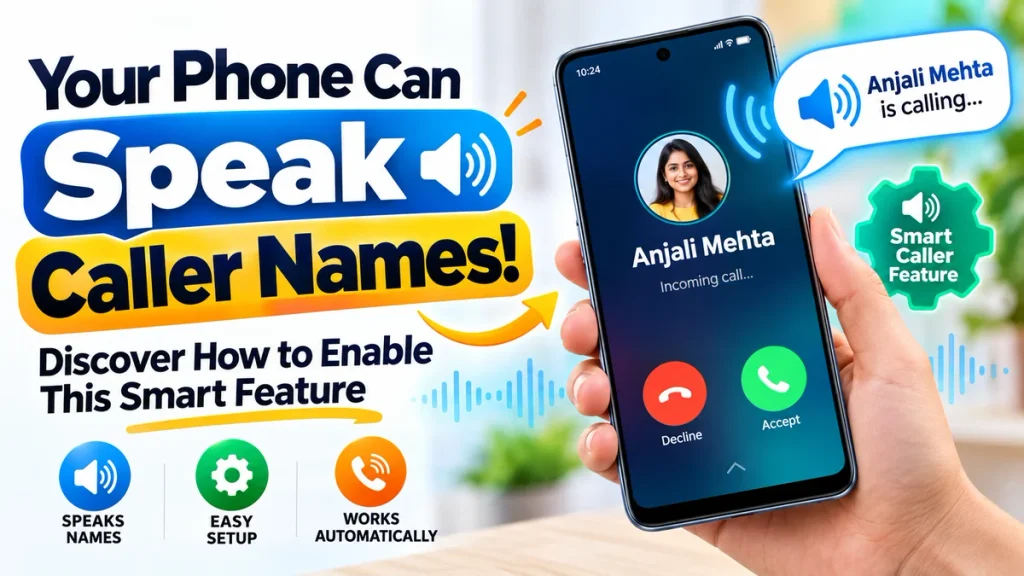
Whether you use an Android smartphone or an iPhone, enabling automatic caller announcements may be easier than you expect. This complete guide explains how caller name announcement technology works, its benefits, available features, activation methods, privacy considerations, and practical troubleshooting tips.
What Is the Caller Name Announcement Feature?
Caller Name Announcement is a smartphone feature that uses text-to-speech technology to announce incoming caller information aloud.
When someone calls your mobile number, the phone checks the available caller identification information. If the number matches a saved contact, the smartphone can announce that contact’s name.
For example, if your phone receives a call from a saved contact named Rahul, it might say:
“Incoming call from Rahul.”
This allows you to identify the caller without opening your smartphone or looking at its display.
Many Android devices include this functionality in their default Phone application. Apple iPhones provide a similar feature through Siri.
Some third-party applications offer additional announcement settings, depending on the device and operating system.
How Does a Caller Name Announcer App Work?
A Caller Name Announcer App uses available caller identification information and converts it into spoken audio.
When an incoming call arrives, the phone checks whether the number belongs to a saved contact. If a matching contact name is available, the device’s text-to-speech system generates an announcement.
Depending on your smartphone settings, the announcement may play through the phone speaker, wired headphones, or compatible Bluetooth accessories.
Some devices can also speak incoming phone numbers when the caller is not saved in your contacts.
However, this does not mean the application can automatically identify every unknown caller. Available information and announcement capabilities depend on the phone and application.
Top Features of a Caller Name Announcer App
Modern caller announcement tools can provide several practical features designed to improve everyday communication.
1. Automatic Caller Name Announcements
Hear the name of a saved contact whenever an incoming call arrives, without manually checking your smartphone.
2. Hands-Free Caller Identification
Identify callers while your hands are occupied with everyday activities such as cooking, household work, or exercising.
3. Bluetooth Headphone Compatibility
Supported smartphones can announce callers through compatible Bluetooth headphones, offering a more convenient listening experience.
4. Customizable Announcement Settings
Certain applications allow users to adjust announcement repetition, speaking speed, voice preferences, or audio behavior.
5. Unknown Number Announcements
Depending on device compatibility, the smartphone may announce an unsaved number instead of a contact name.
6. Simple Enable and Disable Options
Users can activate or deactivate caller announcements whenever needed through supported phone settings.
Caller Name Announcer Feature Comparison
| Feature | Android Built-in Option | iPhone Siri Feature | Third-Party Apps |
|---|---|---|---|
| Announces saved caller names | Supported devices | Yes | Usually |
| Automatic incoming call announcements | Yes | Yes | App-dependent |
| Bluetooth headphone support | Available | Available | Varies |
| Unknown number announcements | Device-dependent | Device-dependent | Varies |
| Voice customization | Limited | Limited | Sometimes |
| Additional installation | Usually not required | Not required | Required |
| Internet connection | Generally unnecessary | Generally unnecessary | App-dependent |
| Cost | Generally free | Included | Free or paid |
This comparison helps users understand which solution may work best for their smartphones.
How to Enable Caller Name Announcement on Android
Many Android smartphones using Google’s Phone app include a built-in Caller ID announcement option.
Follow these steps to activate the feature:
- Open the Phone application on your Android smartphone.
- Tap the three-dot menu in the upper corner.
- Select Settings from the menu.
- Locate the Caller ID announcement option.
- Tap Announce caller ID.
- Choose Always or Only when using a headset.
- Exit the settings and test the feature with an incoming call.
Once enabled, your phone can announce available caller identification information according to your selected preference.
The exact menu may differ on Samsung, Xiaomi, Oppo, Vivo, Realme, and other Android devices because manufacturers use different calling applications.
How to Enable Caller Name Announcement on iPhone
Apple iPhone users can activate spoken caller announcements through Siri without installing another application.
Open Settings and find the Siri section. Depending on your iOS version, this section may appear as Siri or Apple Intelligence & Siri.
Select Announce Calls and choose your preferred announcement option.
Once activated, Siri can announce incoming callers through supported audio outputs.
This feature can be useful when wearing compatible headphones or using supported hands-free accessories.
Availability and announcement behavior depend on your iPhone software and connected devices.
Benefits of Using Caller Name Announcement
Convenient During Everyday Activities
Caller announcements allow users to identify incoming calls without constantly checking their smartphone screens.
Helpful for Busy Professionals
When working or completing important tasks, spoken caller information can help users prioritize incoming calls.
Improved Smartphone Accessibility
People with visual impairments or difficulty reading small screens may find audio caller identification particularly useful.
Better Call Management
Hearing the caller’s name helps users decide whether a call requires immediate attention.
Useful With Compatible Headphones
Bluetooth or wired headphone support can make caller identification more comfortable in supported situations.
These advantages make caller announcement technology valuable for users seeking a convenient smartphone experience.
How to Choose the Best Caller Name Announcer App
Before installing a third-party caller announcement application, consider its reliability, security, and compatibility.
Start by checking whether your smartphone already includes a caller announcement feature. Built-in options generally provide essential functionality without requiring additional downloads.
If you need extra customization, explore reputable applications available through trusted app stores.
Read recent user reviews and examine the permissions requested during installation.
Applications may request access to contacts, incoming call information, notifications, or accessibility features. Avoid granting permissions unrelated to their advertised functionality.
Also review the application’s privacy policy, especially if it collects contact information or other personal data.
Caller Name Announcer Not Working? Try These Fixes
If your smartphone does not announce incoming caller names, check whether the feature is properly enabled.
Confirm that your phone’s audio volume is sufficient and that the correct announcement option is selected.
If you use Bluetooth headphones, ensure they are connected correctly.
Check whether the caller’s number is saved accurately in your contacts.
Restarting your smartphone or updating its Phone application may resolve temporary problems.
For third-party applications, review the necessary permissions and supported battery settings.
Frequently Asked Questions (FAQ)
1. Can my smartphone speak incoming caller names automatically?
Yes. Many Android smartphones and iPhones support spoken caller announcements through built-in settings or compatible applications.
2. Is Caller Name Announcer free?
Built-in caller announcement features are generally included without additional charges. Some third-party applications offer free and paid versions.
3. Does the feature work without internet access?
Built-in caller announcements generally work offline using locally available caller information and device speech technology.
4. Can my phone announce unknown numbers?
Some devices can announce incoming numbers that are not saved in the contact list. The exact functionality varies by phone.
5. Can I use Caller Name Announcer with Bluetooth earphones?
Yes. Many supported smartphones offer caller announcements through compatible Bluetooth headphones.
6. Is using a Caller Name Announcer App safe?
Built-in features are usually a straightforward option. Third-party applications require careful permission and privacy checks.
7. Can I disable caller announcements whenever I want?
Yes. Open your phone’s caller announcement settings and select the option that turns off spoken announcements.
Conclusion
The Caller Name Announcement feature provides a convenient way to recognize incoming calls without constantly looking at your smartphone. By converting caller information into spoken audio, this technology can improve accessibility, hands-free convenience, and everyday call management.
Android and iPhone users can explore built-in announcement settings, while selected third-party applications may provide additional customization options.
For the best experience, choose reliable features, review privacy permissions, and adjust the announcement settings according to your preferences.
With this smart calling feature enabled, your phone can speak available caller names aloud, helping you stay informed whenever someone calls.